EasyManua.ls Logo

Markforged Metal X - Page 76

Markforged Metal X
102 pages
Print Icon
To Next Page IconTo Next Page
To Previous Page IconTo Previous Page
Loading...
METAL X PRINTER USER GUIDE
76
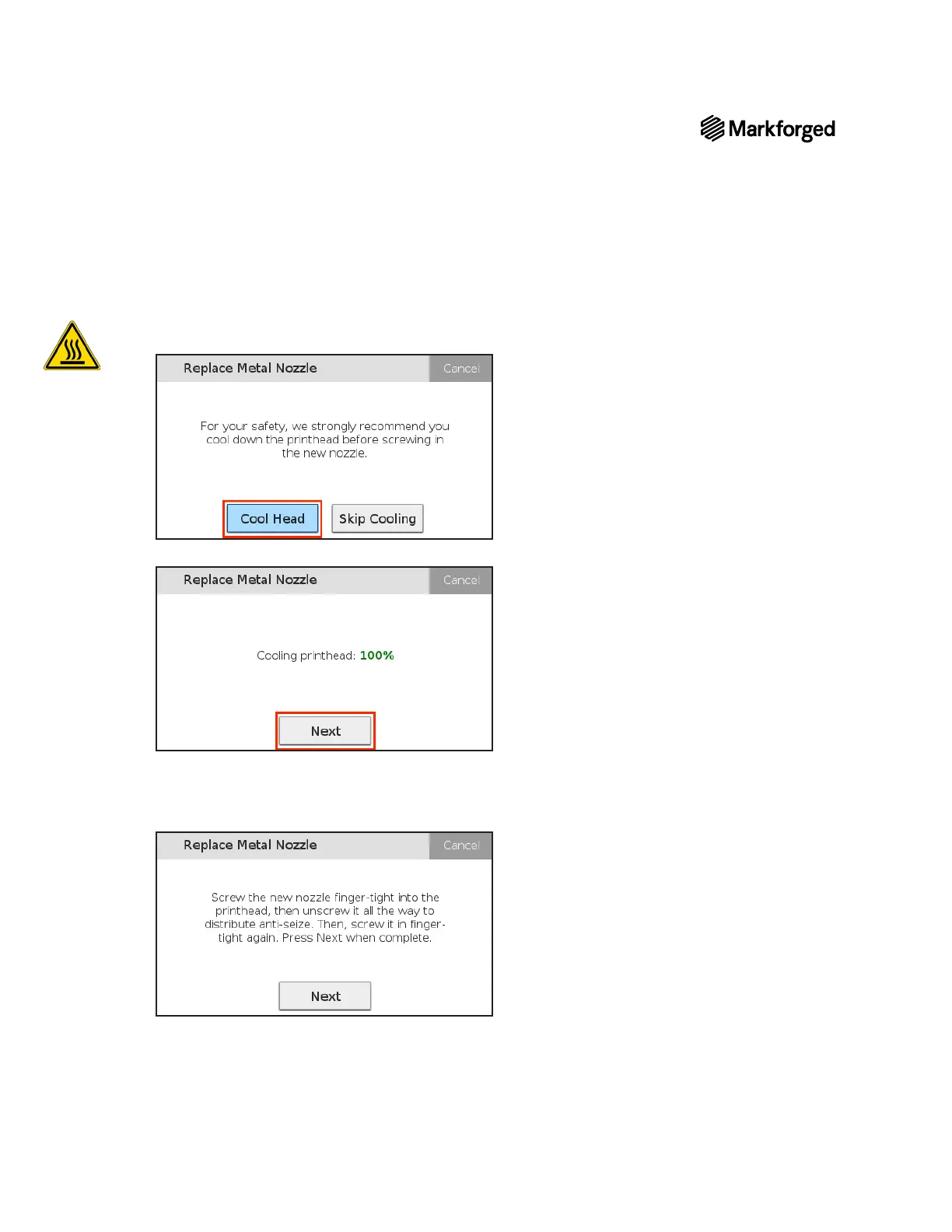
12. Cool Head
Skip Cooling, skip to step 14.
13. Next.
14. Using the nozzle wrench, tighten the metal nozzle partway, then unscrew it completely to distribute Anti-
Next
Note: Do not use the nozzle wrench to fully tighten the nozzle until after it is fully heated in the
next step.


Other manuals for Markforged Metal X

Related product manuals