EasyManua.ls Logo

Markforged Metal X - Page 77

Markforged Metal X
102 pages
Print Icon
To Next Page IconTo Next Page
To Previous Page IconTo Previous Page
Loading...
77
METAL X PRINTER USER GUIDE
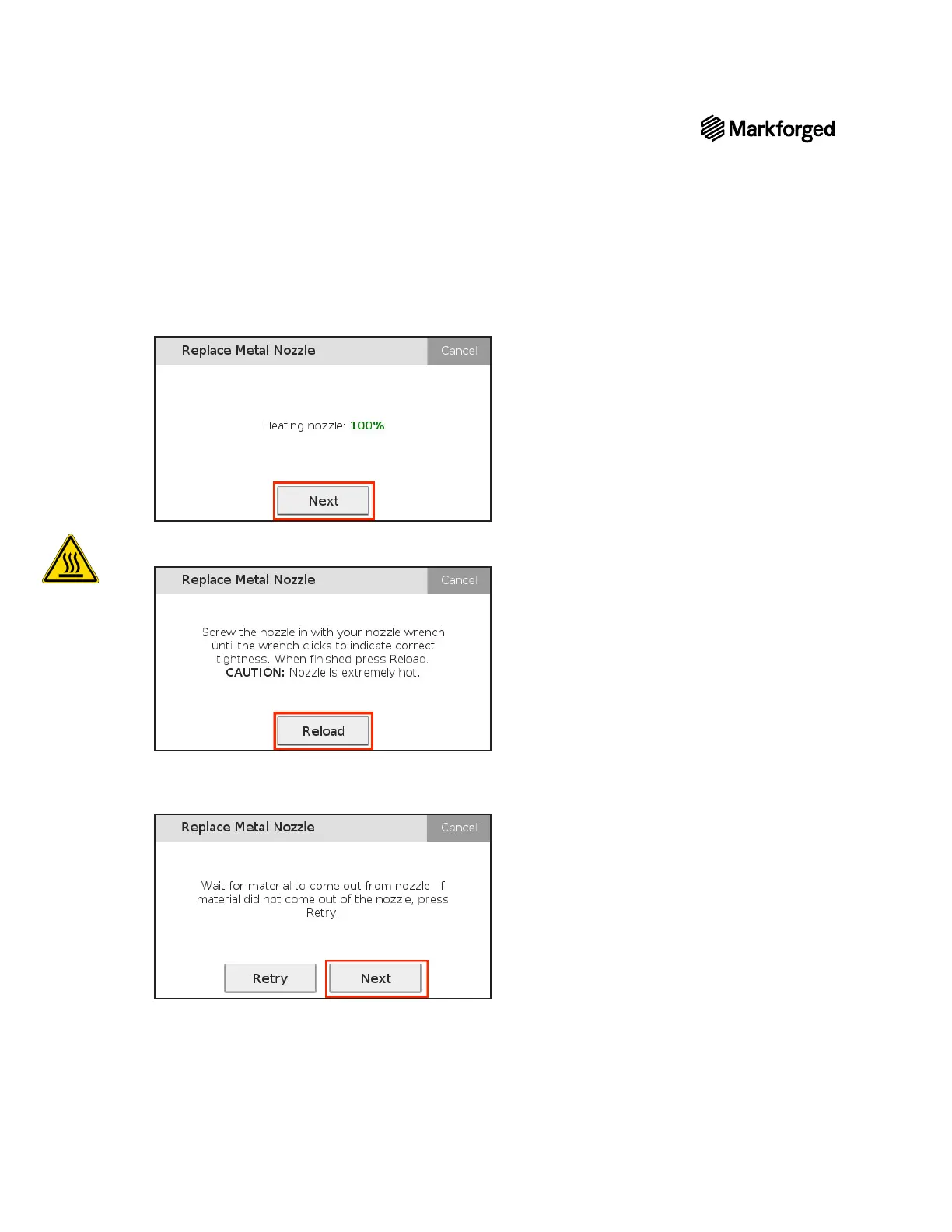
15. Next.
16. Tighten the nozzle with the nozzle wrench until the wrench clicks. Position the brush pan under the print
Reload.
17. 
NextRetry
not extrude from the nozzle.

Other manuals for Markforged Metal X

Related product manuals