METAL X PRINTER USER GUIDE
8
CONNECTING YOUR PRINTER
BEFORE YOU GET STARTED
If you powered up your printer before adding your printer to your Eiger account, you will need to power cycle the
printer before it can connect to your account.
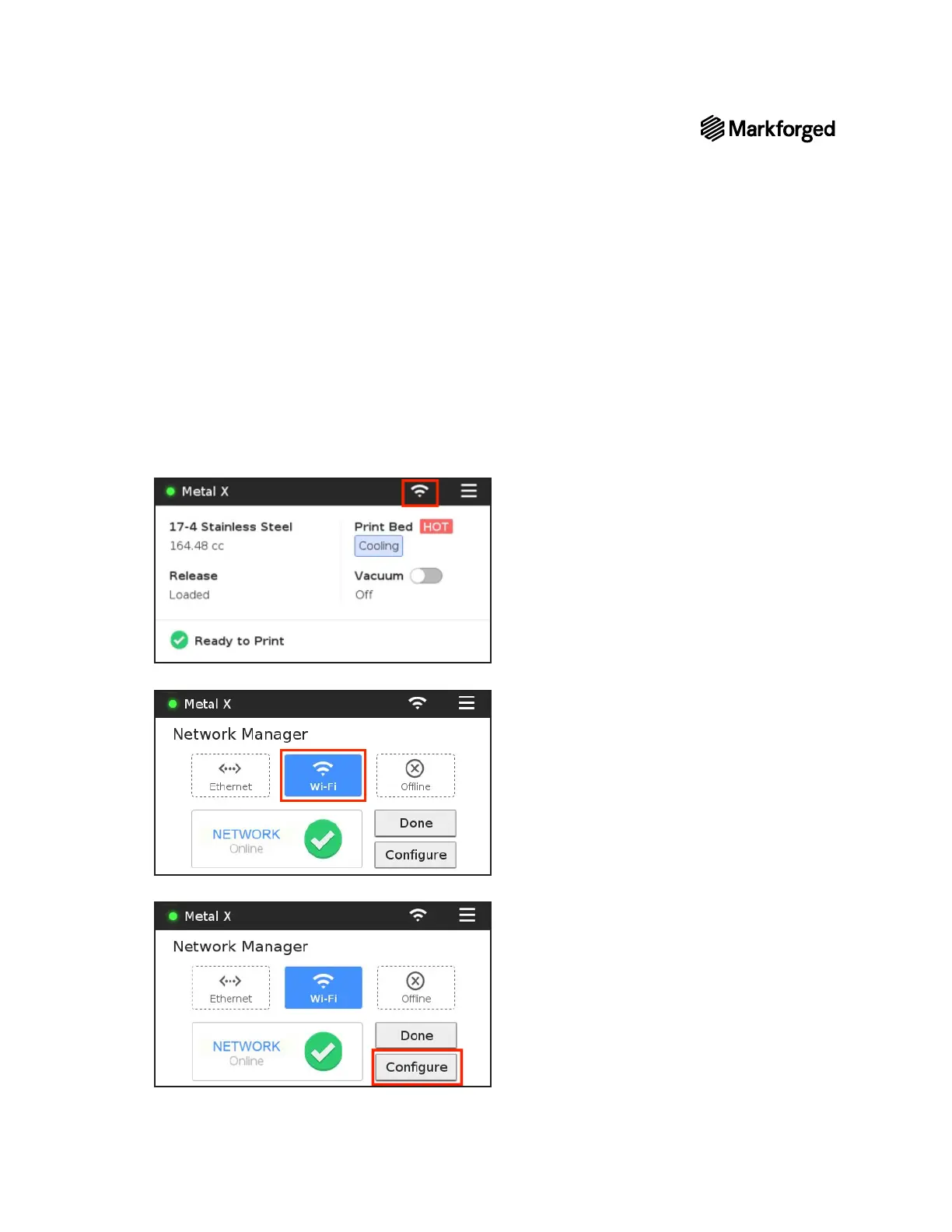
1. Select the Wi-Fi icon from the dashboard.
2. Press the Wi-Fi tile.
3. Press the Configure button to enter your network information.



 To Next Page