19
Sorting Solenoid Items
With the search function, you can search specifically by name or part of the name for individual or
several solenoid items. Tap on the magnification lens symbol („Search“) and enter the search term on
the keypad that is turned on. The CS3 searches directly after the entry of each symbol (live search).
A small red dot indicates the active search. The number shown in this dot corresponds to the number
of symbols entered. You can end the search mode by deleting the search term with the backspace key.
Tap on the confirmation check mark on the keypad in order to turn it off.
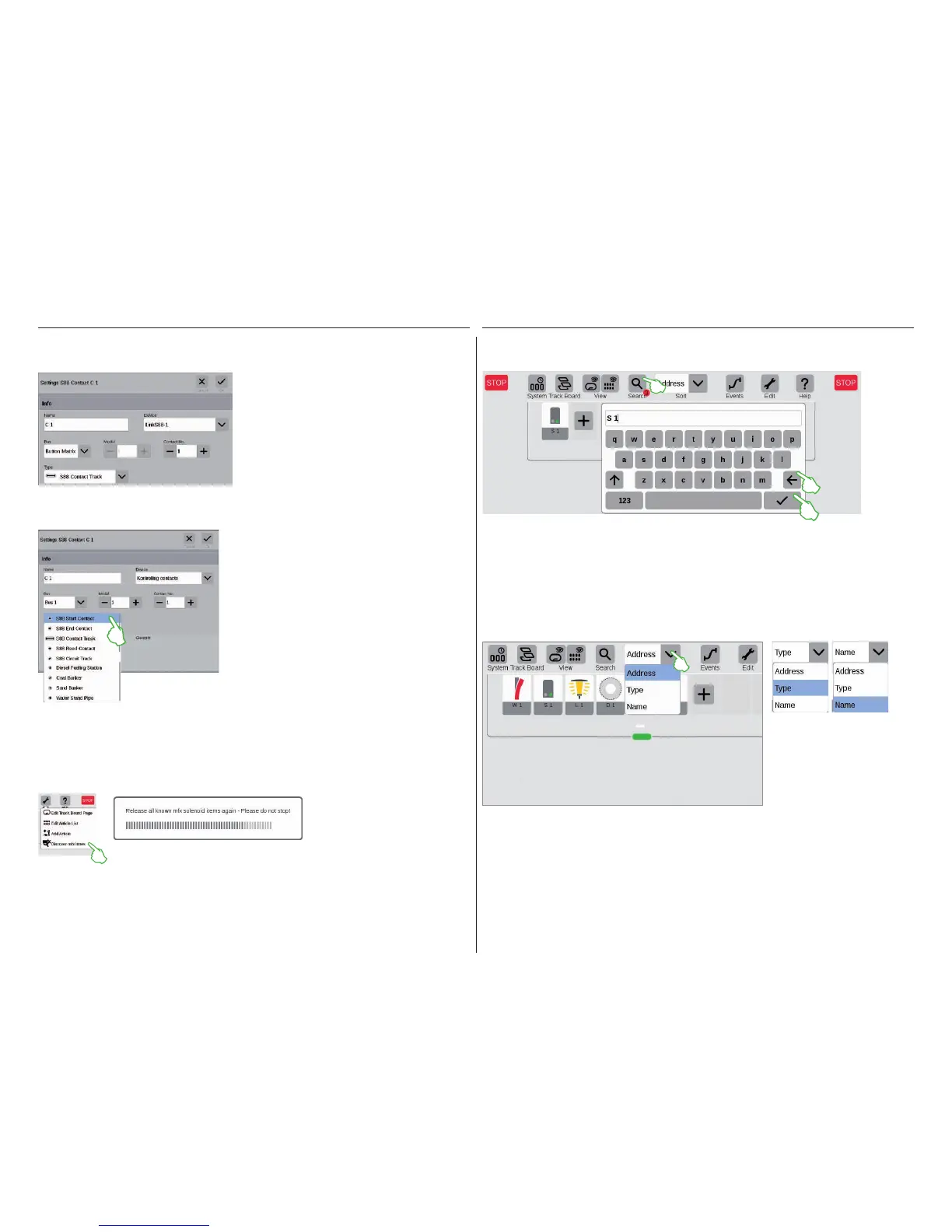
You can use the L88 for a button matrix, such as for
a track diagram control screen. Up to 64 buttons (32
solenoid items or 64 routes) are supported. You enter
the switching points belonging to them in the field
„Contact No.“.
You sort solenoid items by different criteria by means of the drop-down menu on the upper edge of the item
list: by the assigned address, the item designation in question („Name“) and the type of item.
Searching for Solenoid Items / Live Search
Discover mfx Items
Start the function by tapping on the tool symbol for the item list („Edit“) and on „Discover mfx items“ (left
image) in the drop-down menu. After that, the CS3 will turn on the message above that it is linking to all
known mfx solenoid items. You must now merely wait a few minutes.
In rare cases, it can happen that an item set up in the item list is no longer displayed.
This function is used to find it again.
Button Matrix:
In the drop-down menu „Type“, select the type of
feedback contact installed: contact track, reed
contact, or circuit track.
Other types of contacts are available for the mfx+
World of Operation mode such as diesel fueling sta-
tion, coalbunker, sand bunker, and water standpipe.
Selecting the type of S88 feedback contact:


 To Next Page