30
Procedure Control with Qualified Execution
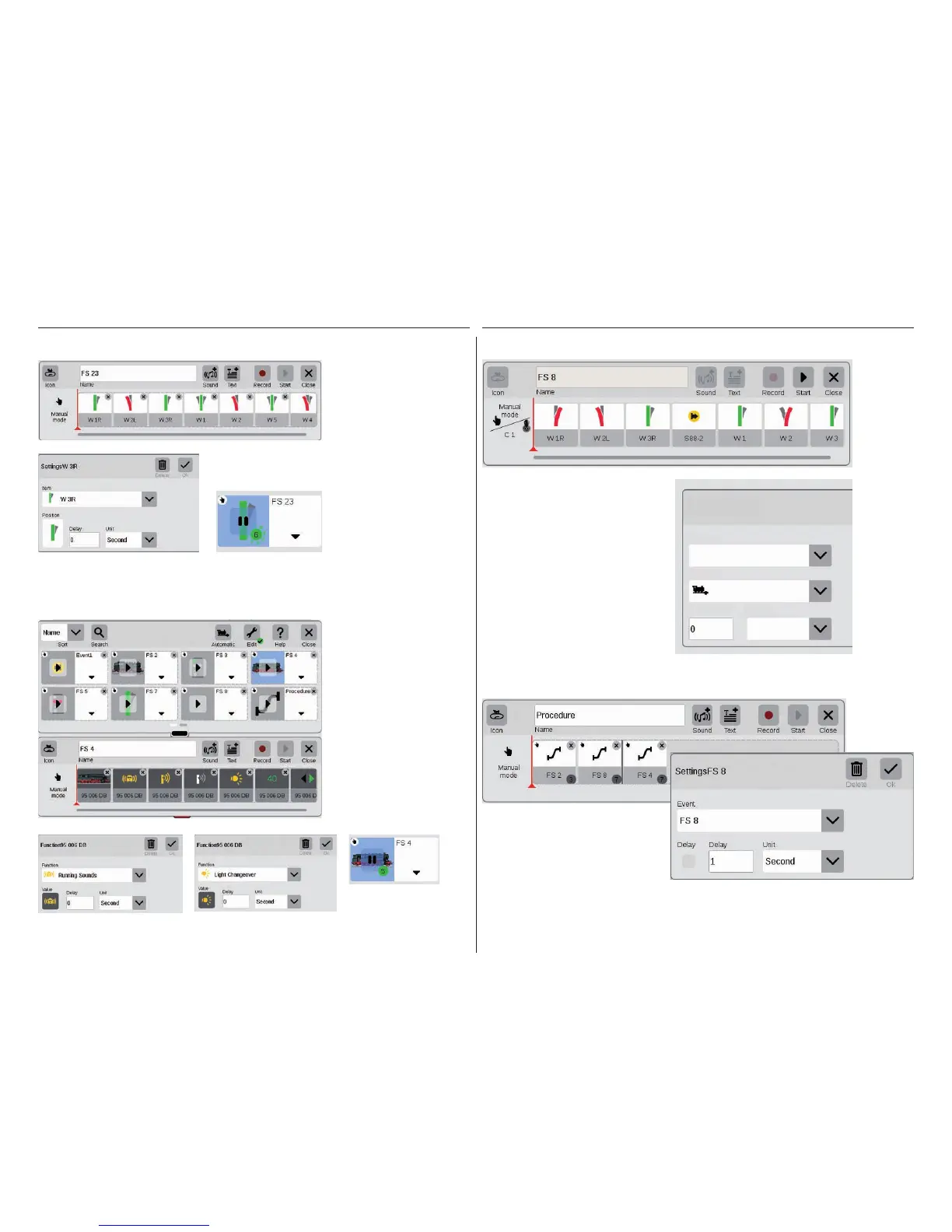
If contacts are to be used as activators
for routes or automated procedures, you
can do it quite easily as follows: Pull the
contact into the field on the left edge of
the route – C1 for example (upper image).
Then tap on this contact symbol and define
the conditions – „Entering” for example
(right image). The entire procedure is then
switched when Contact 1 reports occupan-
cy. Other feedback contacts can be taken
into the procedure itself in turn (example:
S88-2, upper image) by pulling them into the
timeline.
Creating Turnout Arrangements
It has never been so easy to
create turnout arrangements
with the CS3: Pull the indi-
vidual turnouts from the item
list into the timeline, and the
route is done.
Procedure Control by Means of Feedback Contacts
Programming Locomotive Procedures
The CS3 also readily masters the linking of
entire routes and procedures. To do this
create a new event with „Edit” and pull the
corresponding icons for the procedures into
the timeline. Each individual event can be
adjusted again to meet your needs with the
menu „Edit”.
Locomotive procedures
can also be programmed
easily with the CS3: Select
the locomotive and take
different functions such as
„Running Sounds on” or
„Light Changeover on” from
the function elements.
Each different function
can be set individually
by tapping on the icons
(images below). The entire
procedure can be played/
monitored with the „Start”
button.
All of the different turnouts
can be set individually by
means of the menu „Edit”
(extreme left image). The
route can be checked by
means of the „Start” button.
A green dot will appear in the
field for the route. It further
reports the current status of
the procedure control.
Settings C 1
Second
Arriving
C 1
Contact
Trigger
Delay Unit


 To Next Page