PAIRING PROCEDURE
20
Quick Digit
TM
Bluetooth
®
Driver
25/10/17
3.6
9
15 16
10 11 12 13 14
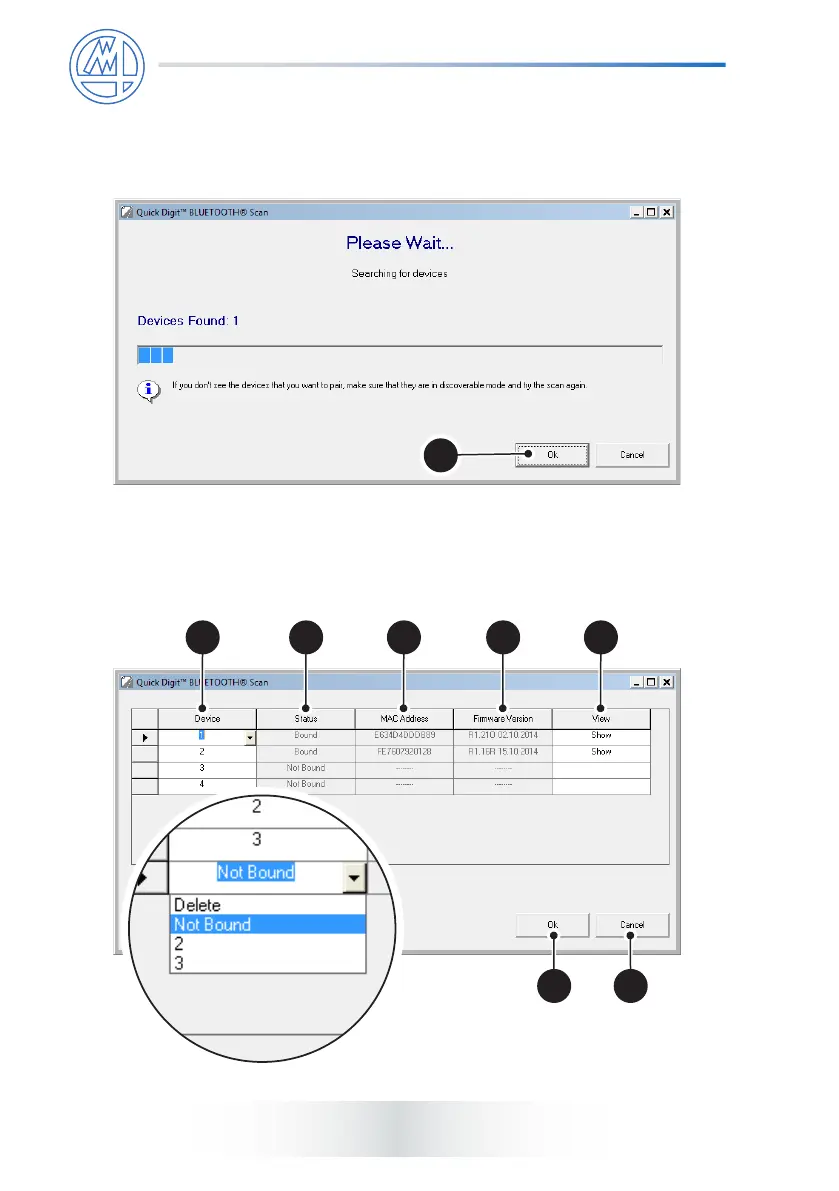
6) The following page will show up. Wait until the scan sequence is completed,
i.e., when the number of “Devices Found” corresponds to the number of
discoverable devices. Then press OK (9).
7) Once the scan has been completed the following window will appear displaying
the parameters of the devices that have just been paired. Choose the used
channel from the Device column (10).



 To Next Page