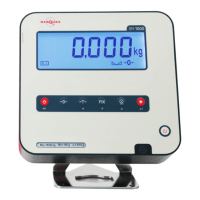
User Guide | BM1000P TOP
EN
16 Nov 2023
OPERATION MODE AND LANGUAGE
This section contains the following costumizable parameters:
Operation Mode
(selecting one
activates it)
0
Normal Mode
1
Counting Scale Mode
3
Remote Mode
4
Automatic Weighing with Discontinuous Totalizer
5
Chromatic Levels of Weighing
Display
Retrolighting
0
Always on
1
Turns o after 20s of inactivity
2
Always o
3
Turns o after 20s of inactivity; turns back on when weight
is put on the platform, or when the keypad is used
4
Turns o after 5s; turns back on with a weight over the min
5
In test mode, turns o after 20s
Point / Comma
0
Uses decimal point as separator
1
Uses comma as separator
Language
0
Spanish
1
Portuguese
2
French
3
German
4
English
Real Time Watch
0
Inactive date and time system
1
Active date and time system
OTHER PARAMETERS
Within the Language menu above, extra parameters come available when the
zero key is pressed for two seconds:
Real Time Watch
0
Inactive date and time system
1
Active date and time system
Relays On
0
Deactivates the use of the relay board
1
Activates the use of the relay board
Shift/Enter
0
Doesn't allow shortcuts to access menus
1
Allows shortcuts to access menus
Versão
0
Uses version 0 of the device
1
Uses version 2 of the device
Double Cell
0
Blocks the possibility to swap between platforms
1
Allows the possibility to swap between platforms
Prog-6


 To Next Page