Page 17
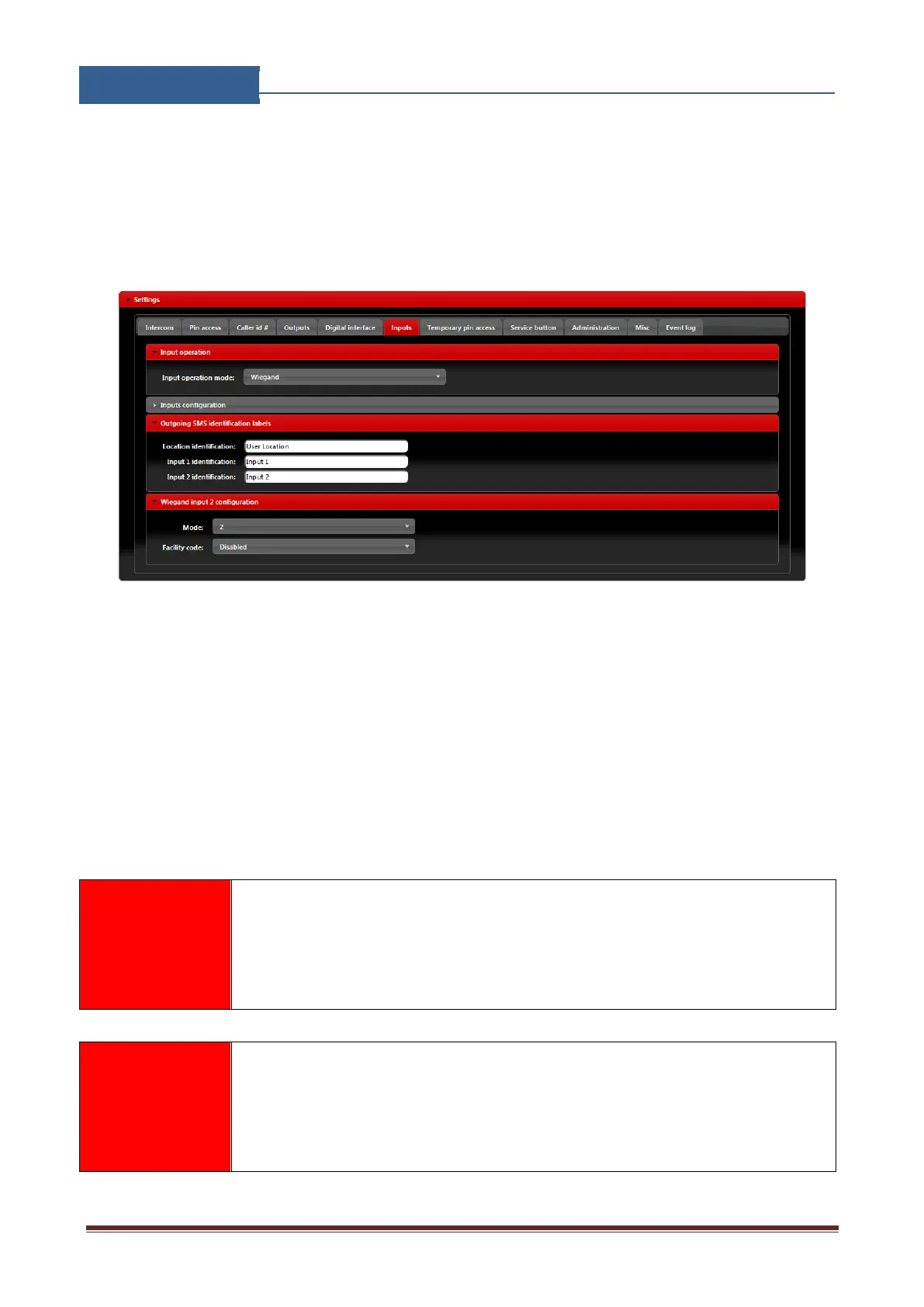
Second Wiegand interface is shared with alarm input lines, user must select Wiegand in Input
operation mode found in the Inputs tab.
Additional settings for Wiegand interface input are found in Wiegand input 2 configuration
section.
Figure 8: WEB Server-Wiegand interface support.
• Mode: Select appropriate data formatting (Advise unit provider for more info if needed,
mode 2 is most common setting)
• Facility code: User can Enable or Disable facility code field.
Wiegand devices can be defined in two sections. First section is permanent pin codes and second is
temporary pin codes - limited by the number of use.


 To Next Page