Selection Caller ID always ON will allow anybody with the knowledge of the
unit number to trigger the output by calling the unit. Use this setting with
caution.
8.7 OUTPUTS SETTINGS
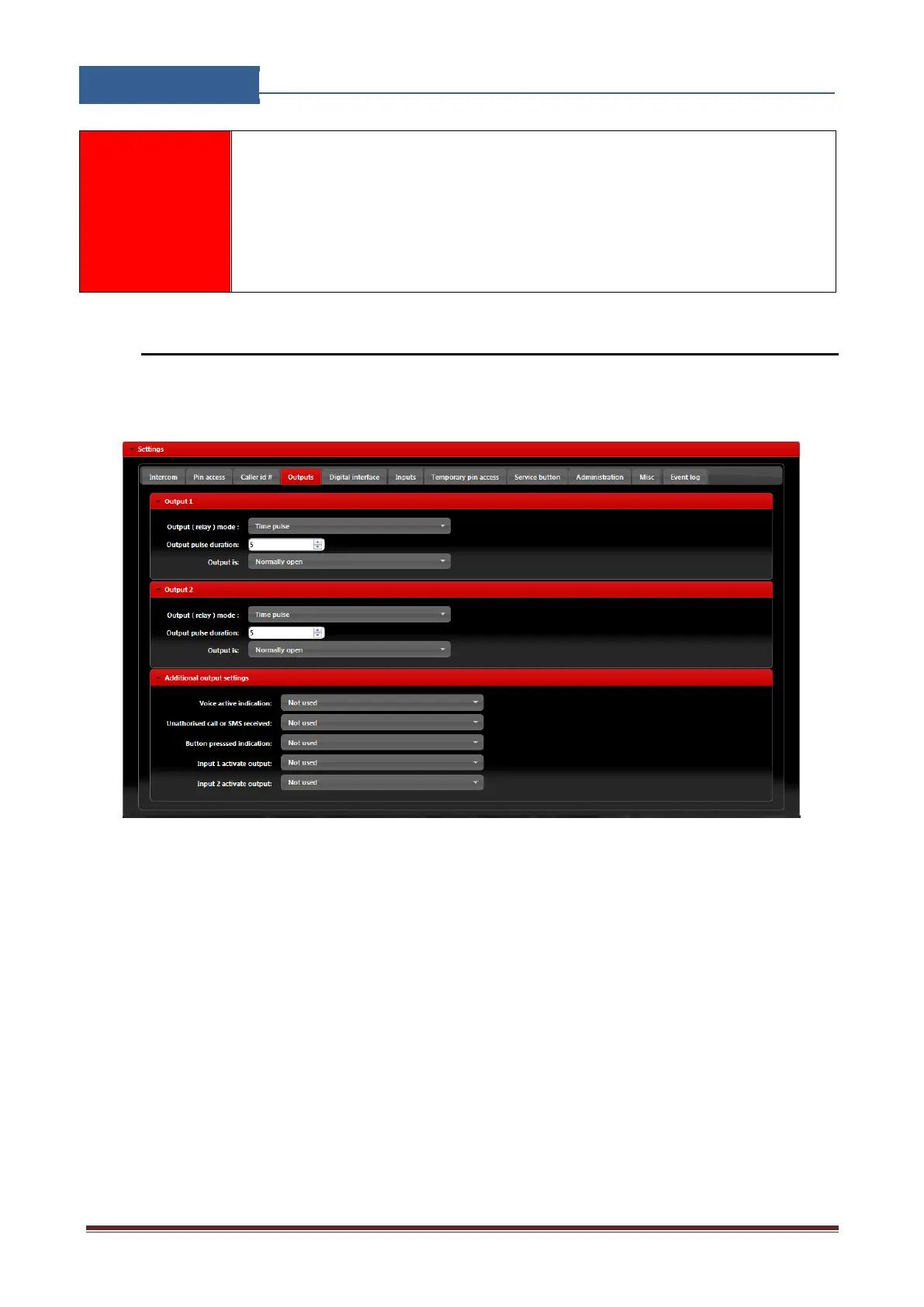
The behavior on the outputs is defined in the Output tab.
Figure 12: WEB Server-Output setting
Output 1 - Settings for output 1:
• Output (relay) mode: User can select between 3 options
Disable-Output is disabled.
Latching-Output is in latching mode. First Caller ID or PIN entry will activate the output,
second Caller ID or PIN entry will deactivate the output.
Time Pulse-Output is time pulse mode. After output is triggered it will be activated for the
time defined in Output pulse duration, after that time output will be restored.
• Output pulse duration: ON time for output in case of output mode Timer pulse.
• Output is: Output can work in normal or inverted (normally close) mode.


 To Next Page