Page 18
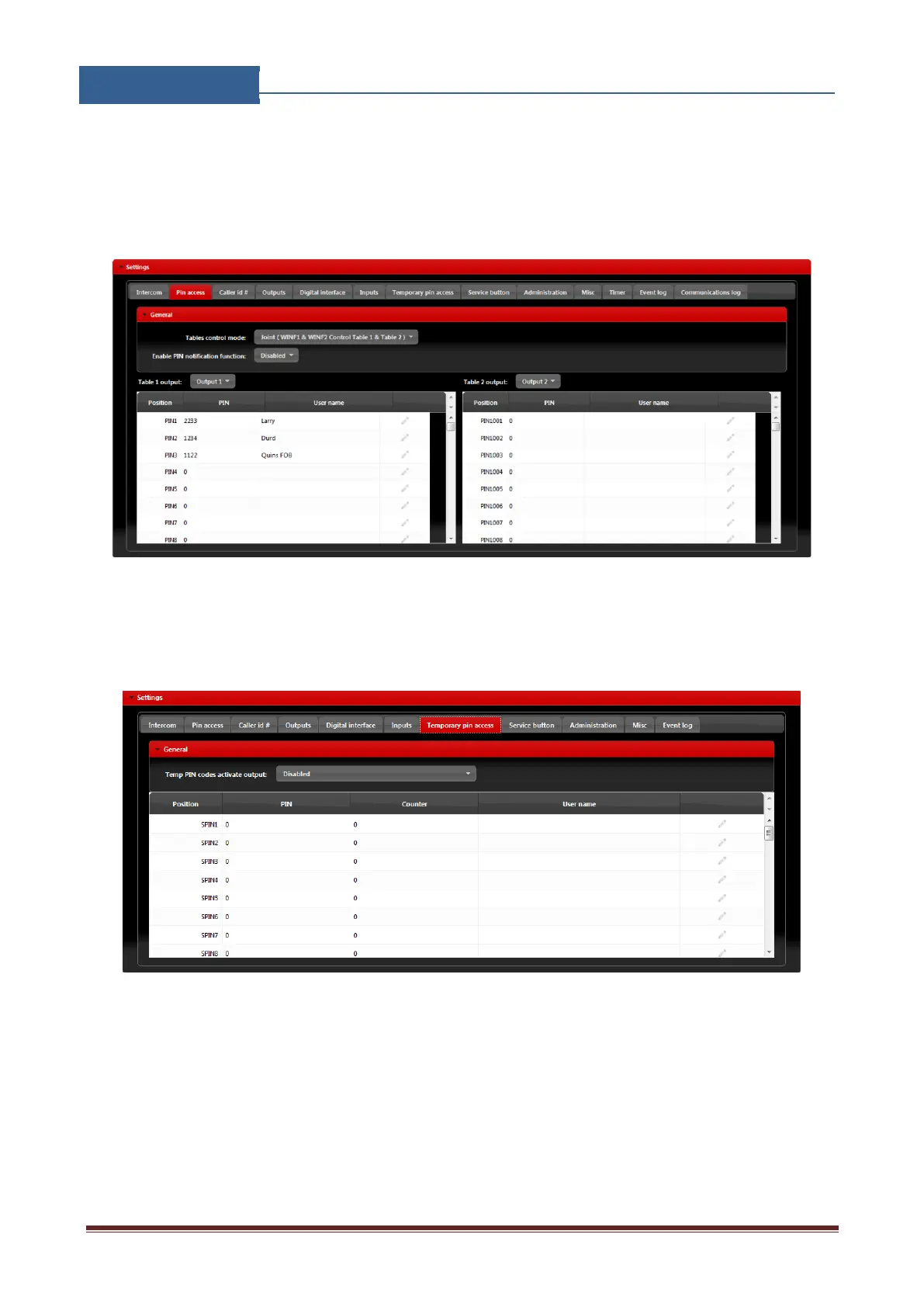
Permanent use: devices are added in Pin access tables.
They are placed in two tables. For each table user can define which output they will trigger.
Figure 9: WEB Server-Adding Wiegand devices with permanent use.
Temporary pin codes are placed in Temporary pin access tab.
Figure 10: WEB Server-Adding Wiegand devices with temporary use.
• Temp PIN codes activate output: Selecting the output that will be triggered in case of
correct SPIN code.


 To Next Page