www.martin.com • Olof Palmes Allé 18 • DK-8200 Aarhus N • Denmark
Tel. (+45) 8740 0000 • Fax (+45) 8740 0010
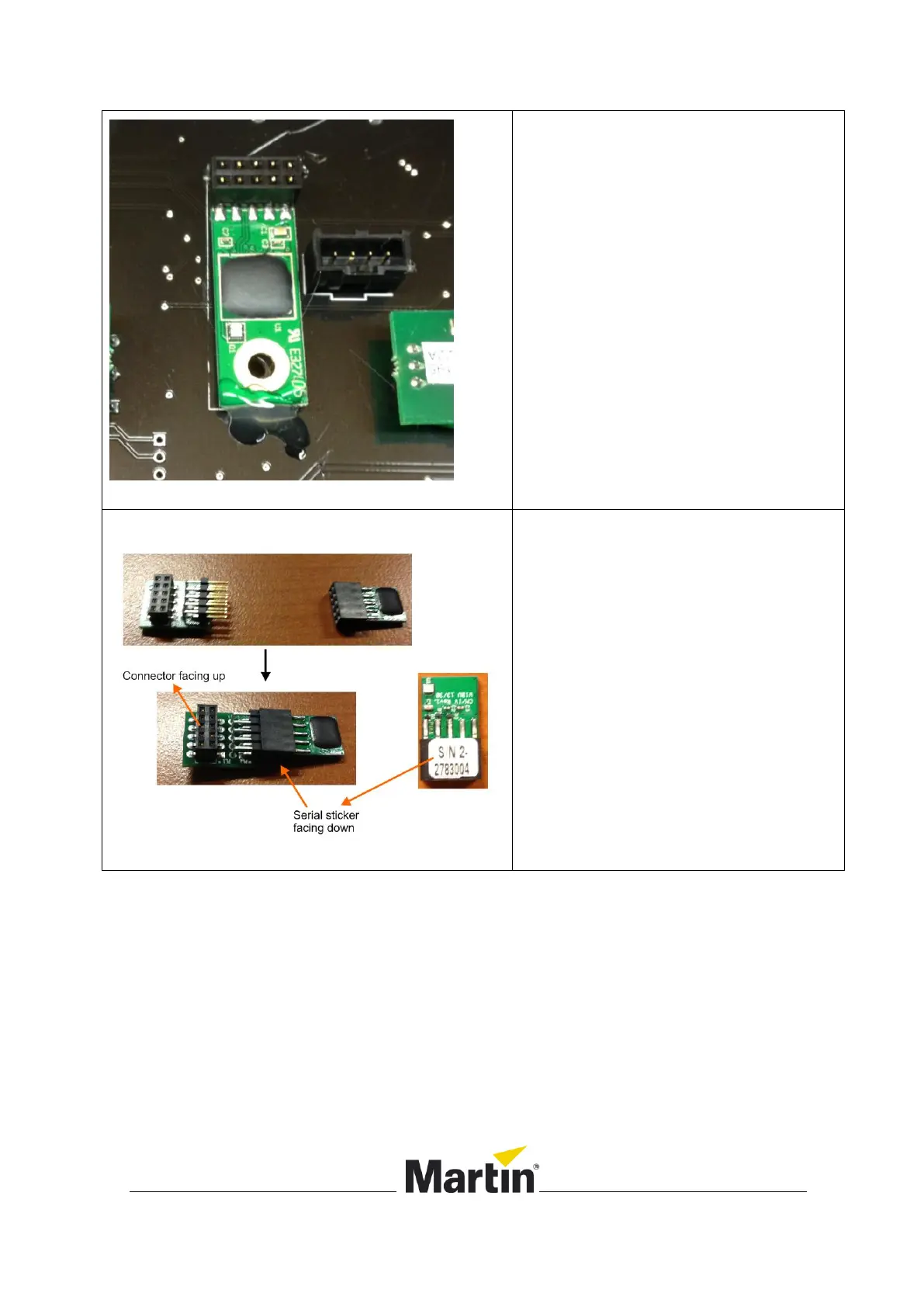
5. Remove the old dongle by
carefully pulling on the black
connector.
Note: some hot glue may hold the dongle
in place. Peel of the hot glue carefully.
6. The new dongle consists out of 2
parts: an adapter PCB and the
dongle.
7. Connect both parts together as
shown in the picture. The
connector of the adapter PCB
must face up, and the serial label
on the dongle must face down.













 To Next Page