Optical configuration 19
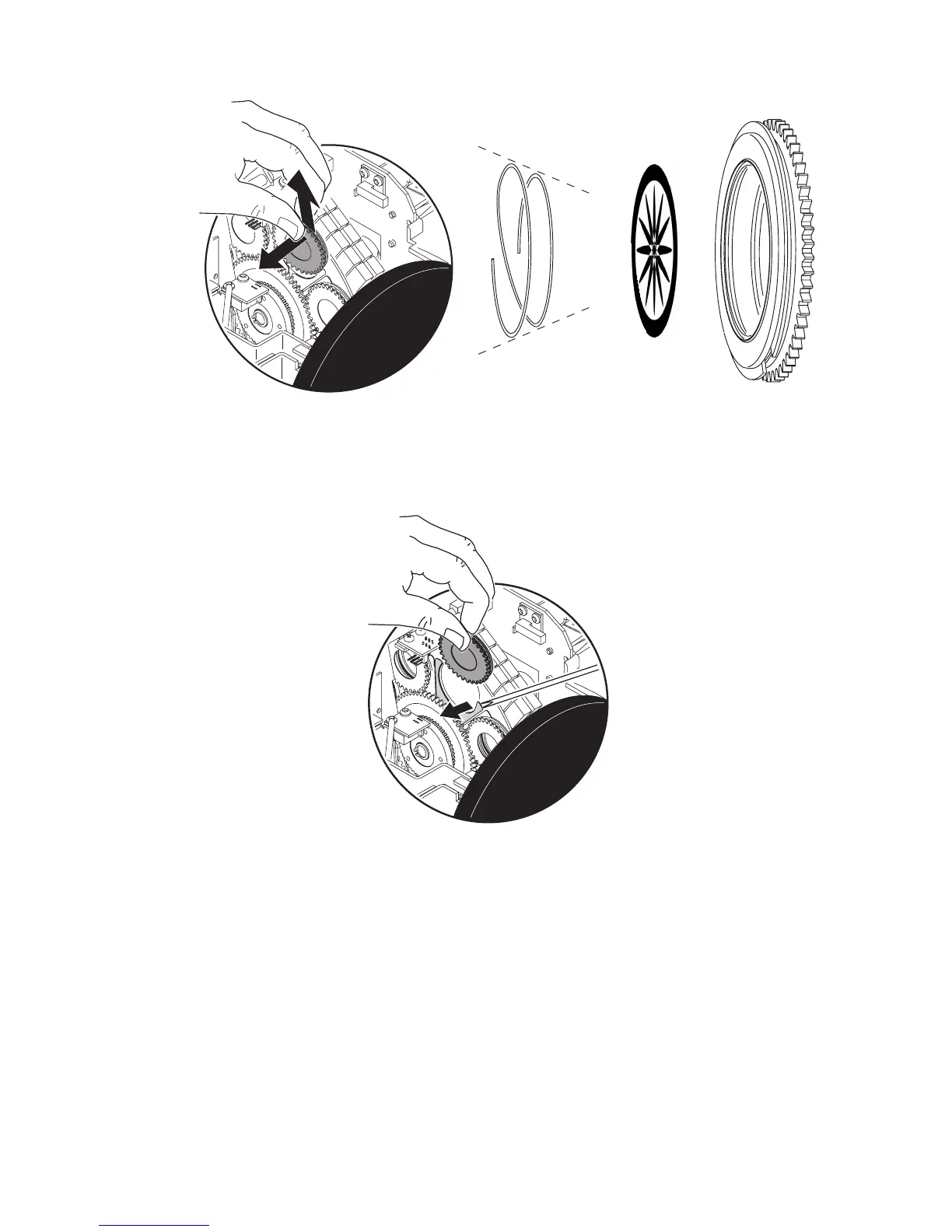
4 Remove the gobo holder from the gobo wheel.
5 Squeeze the ends of the retention spring together and remove. Push the gobo out from the back and
remove.
6 Orient the gobo as shown in “Gobo orientation” on page 17 and insert the replacement gobo into the holder.
Secure the gobo with the retention spring.
7 Insert the gobo holder back in the gobo wheel using a small flathead screwdriver to lift the retaining blades.
8 Replace the cover before applying power.















 To Next Page