Model: MTS200 (1U)
Doc. Ref. no. : m08/om/201
Issue no. : 03
User’s Manual Page 46 of 195 Page 46 of 195
3. SET PARITY
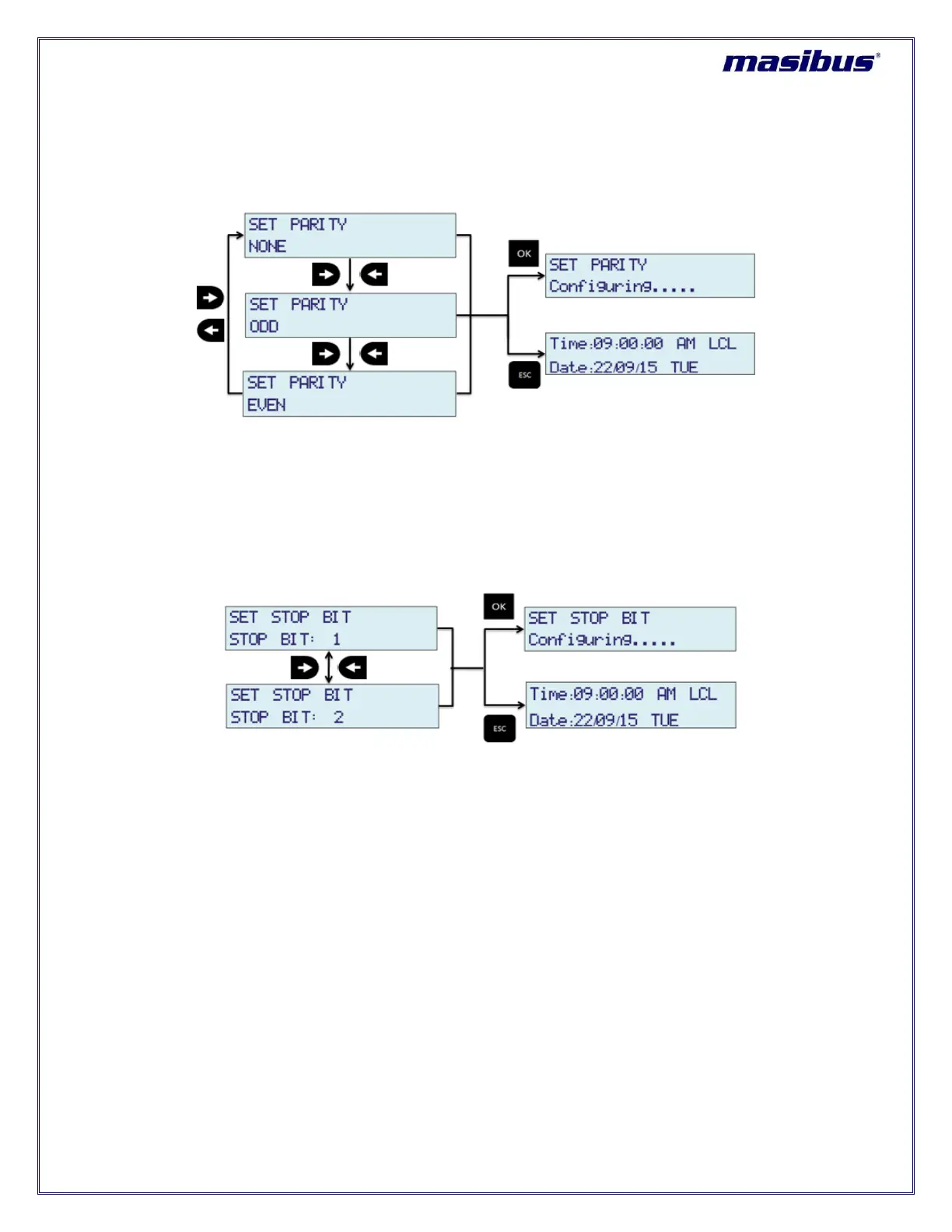
COM2 serial port output parity bit at rear panel of MTS200 can be set by using this option. MTS200 is
capable to provide serial time frame on COM2 terminal at configurable parity options of NONE / ODD /
EVEN.
As shown above, “LEFT” and “RIGHT” key are used to change setting of HOUR MODE. “OK” key will
save the setting and “ESC” key will reject new setting and keep old value of this parameter in effect and
come out of configuration MENU mode to RUN mode.
4. SET STOP BIT
COM2 serial port output stop bit at rear panel of MTS200 can be set by using this option. MTS200 is
capable to provide serial time frame on COM2 terminal at configurable stop bit options of 1 / 2 stop bits.
As shown above, “LEFT” and “RIGHT” key are used to change setting of HOUR MODE. “OK” key will
save the setting and “ESC” key will reject new setting and keep old value of this parameter in effect and
come out of configuration MENU mode to RUN mode.
5. COM2 TRANSMIT MODE
COM2 serial port output serial time string can be set by using this option. MTS200 is capable to provide
different types of serial time string such as T-format, NGTS, GPZDA, GPGGA on COM2 terminal.



 To Next Page