29
LEVEL 2 WARNING/LEVEL 3 EMERGENCY Alert Event
Information
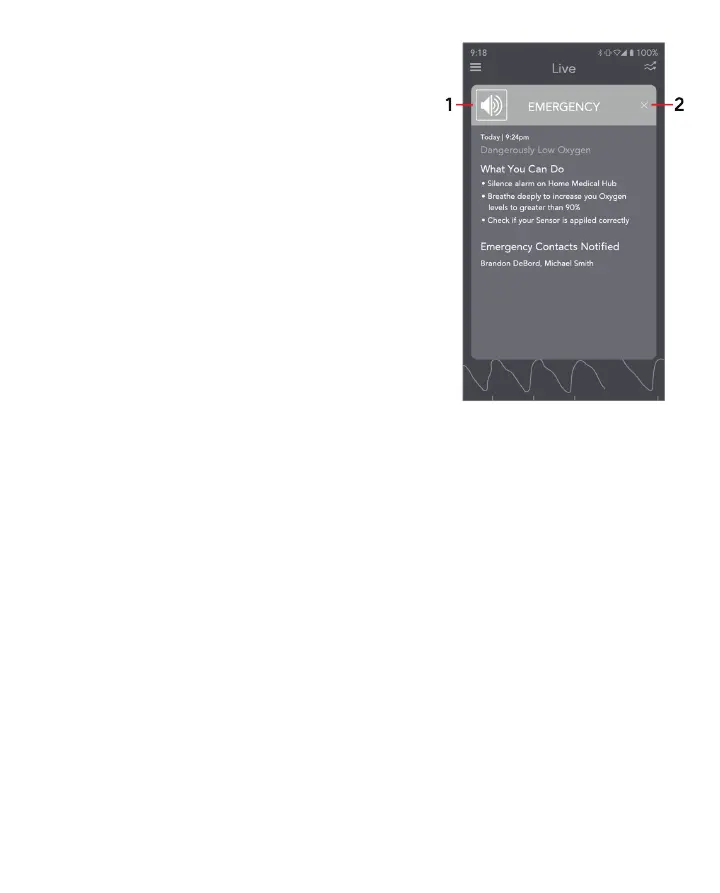
Information about the low oxygen level event is given along
with steps on how to help your oxygen level recovery.
Designated emergency contacts are notified to assist you.
You have the option to:
1. Silence the alarm
Silence the Alarm
On the App: Tap the alarm icon on the top left corner of the
pop-up (1)
Masimo Stork Hub: Press the button once.
See Silence Alarms for additional information. To exit the
screen, select the "X" (2) or select the Close button.



 To Next Page