30
Silence Alarms
ALL TBD NEED TO KNOW HOW TO SILENCE ALARMS
An audio alarm can only be silenced for 2 minutes. After the 2 minutes, the alarm will sound again. You
can continue to temporarily silence the alarm for 2 minutes at a time if needed. If your condition returns to
a non-alarm level, the alarm will stop.
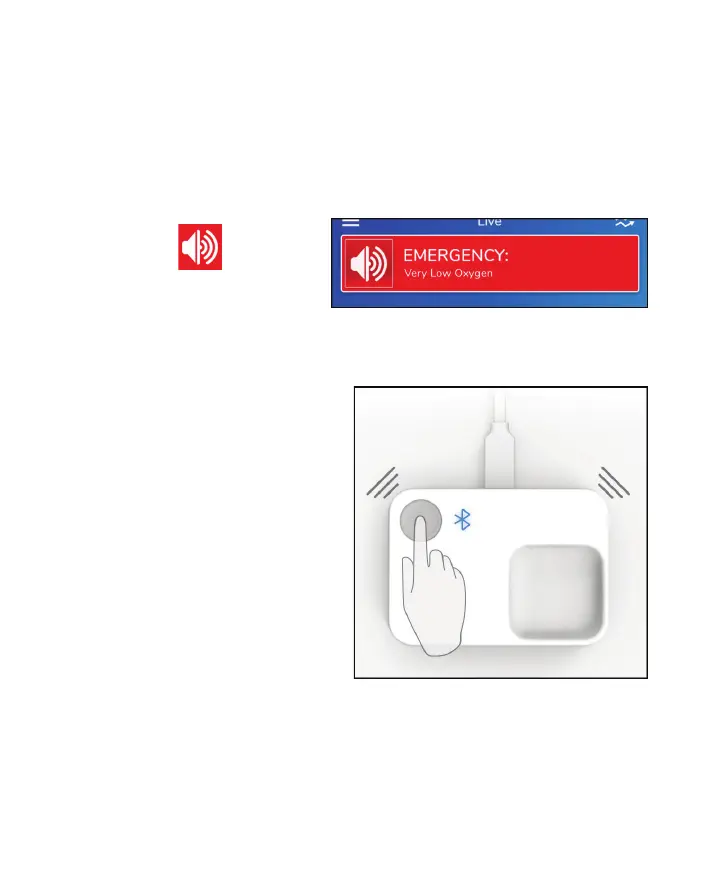
Silencing Alarms From the App
Touch the Speaker icon
shown on the
banner to silence the App alarm.
NEED NEW SCREEN SHOT
Silencing Alarms From the Masimo Stork Hub
Press and release the Masimo Stork Hub button to
silence the Masimo Stork Hub alarm.
NEED NEW IMAGE



 To Next Page