Using the Scan Tool
ERASING DIAGNOSTIC TROUBLE CODES (DTCs)
28
ERASING DIAGNOSTIC TROUBLE CODES (DTCs)
When the Scan Tool’s ERASE function is used to erase
DTCs from the vehicle's on-board computer, "Freeze
Frame" data and manufacturer-specific enhanced data are
also erased. "Permanent" DTCs ARE NOT erased by the
ERASE function.
If you plan to take the vehicle to a Service Center for repair, DO NOT
erase the codes from the vehicle's computer. If the codes are erased,
valuable information that might help the technician troubleshoot the
problem will also be erased.
Erase DTCs from the computer's memory as follows:
When DTCs are erased, the I/M Readiness Monitor Status
program resets status of all Monitors to a not run condition. To
set all Monitors to a DONE status, an OBD2 Drive Cycle must
be performed.
1. If not connected already, connect the
Scan Tool to the vehicle's DLC, and
turn the ignition "On.” (If the Scan Tool
is already connected and linked to the
vehicle's computer, proceed directly to
step 3. If not, continue to step 2.)
2. Perform the Code Retrieval procedure
as described on page 23. Wait until the
codes are displayed, then proceed to
step 3.
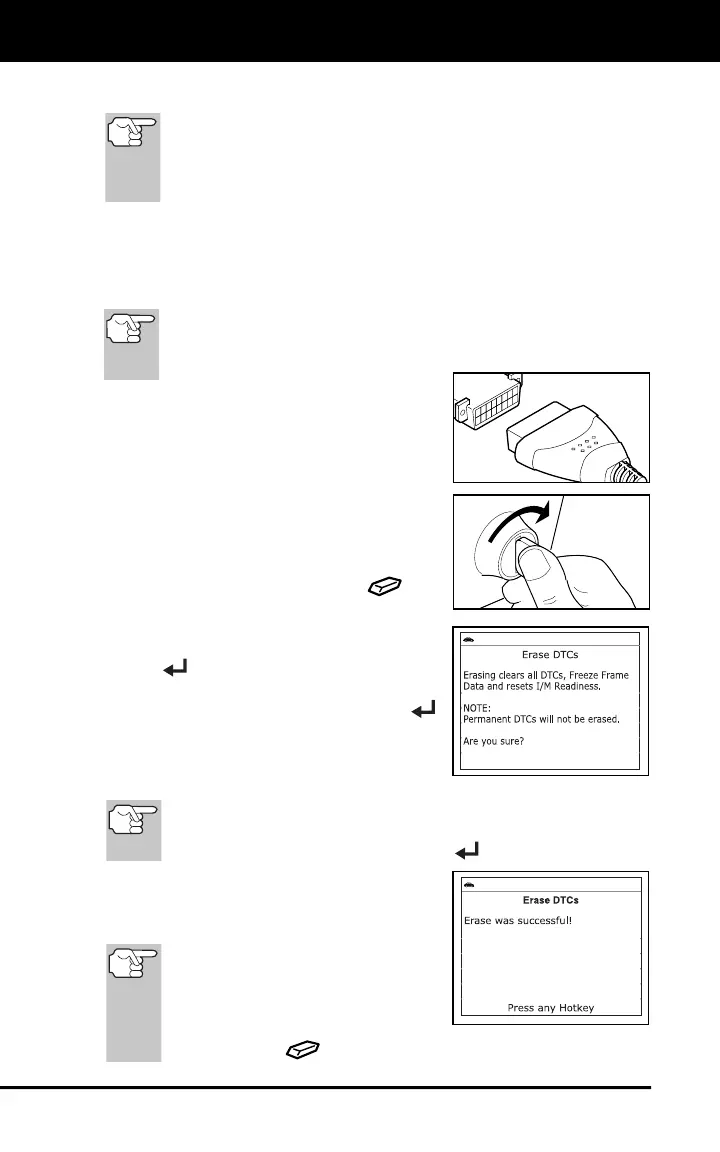
3. Press and release ERASE
. A
confirmation message shows.
If you are sure you want to proceed,
select Yes, then press MENU/ENTER
.
If you do not want to proceed, select
No, then press MENU/ENTER
to cancel the erase procedure.
4. If you chose to erase DTCs, a “One
moment please…” message displays
while the erase function is in progress.
If the vehicle’s engine is running, an advisory message shows.
Turn the engine OFF, then turn the ignition back to ON. DO NOT
start the engine. Press MENU/ENTER
to continue.
5. If the erase was successful, a
confirmation message shows. The Scan
Tool automatically relinks to the
vehicle’s computer after 3 seconds.
If the erase was not successful
and ECU error code $22 is
present, an advisory message
displays. Follow the instructions
on the advisory message, then
press ERASE
to try again.



 To Next Page