Additional Functions
VIEWING MONITOR ICON DESCRIPTIONS - BATTERY/ALTERNATOR TEST
35
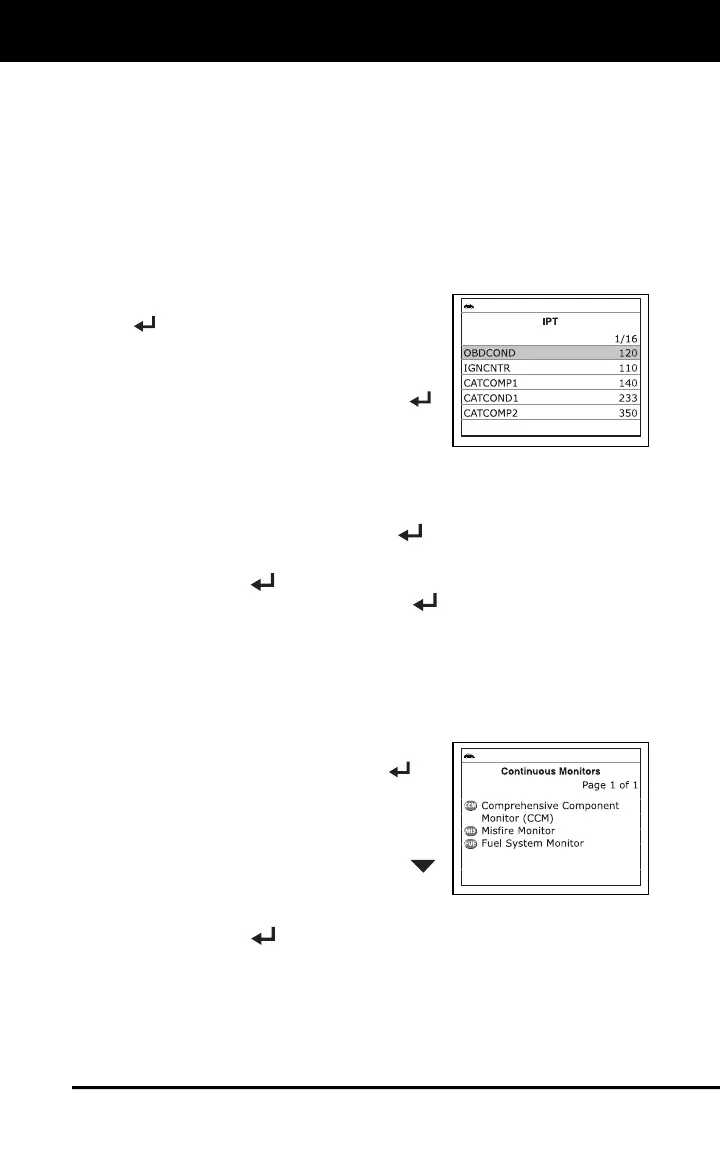
Viewing In-use Performance Tracking (IPT)
The Scan Tool can retrieve In-use Performance Tracking (IPT) statistics
for monitors supported by the vehicle under test. Two values are
returned for each monitor; the number of times that all conditions
necessary for a specific monitor to detect a malfunction have been
encountered (XXXCOND), and the number of times that the vehicle has
been operated under the specific conditions for the monitor (XXXCOMP).
Statistics are also provided for the number of times the vehicle has been
operated in OBD monitoring conditions (OBDCOND), and the number of
times the vehicle’s engine has been started (IGNCNTR).
1. Select Vehicle Information from the
Main Menu, then press MENU/ENTER
.
The Vehicle Information menu
displays.
2. Select IPT, then press MENU/ENTER
.
3. When the retrieval process is completed,
the In-use Performance Tracking
statistics for the vehicle under test display.
If In-use Performance Tracking is not available for your vehicle,
an advisory message shows on the diagnostic tool’s display.
Press and hold MENU/ENTER
to return to the Main Menu.
4. When you have finished viewing the statistics, choose Back and press
MENU/ENTER
to return to the Vehicle Information menu, or,
choose Exit and press MENU/ENTER
to display the Main Menu.
VIEWING MONITOR ICON DESCRIPTIONS
The I/M MONITOR STATUS icons on the Scan Tool’s LCD display
provide an indication of the “Completed / Not Complete” status for all I/M
Monitors supported by the vehicle under test. The Monitor Icons
function displays the full name for each Monitor icon.
1. From the Main Menu, select Monitor
Icons, then press MENU/ENTER
.
The Monitor Icons screen displays.
The screen shows a list of the 15
Monitor icons, along with the full name
for each icon. Use the DOWN
button, as necessary, to scroll the list.
2. When you have finished viewing the Monitor icon descriptions, press
MENU/ENTER
to return to the Main Menu.
BATTERY/ALTERNATOR TEST
The Scan Tool can perform a check of the vehicle’s battery and
alternator system to ensure the system is operating within acceptable
limits. You can perform a battery check only, or an alternator system
(battery and alternator) check.



 To Next Page