Additional Functions
VIEWING MONITOR ICON STATUS DEFINITIONS
42
If the information shown is not correct for the vehicle under test,
or if you wish to reselect the vehicle, select No, then press
MENU/ENTER
to return to the Select Vehicle screen.
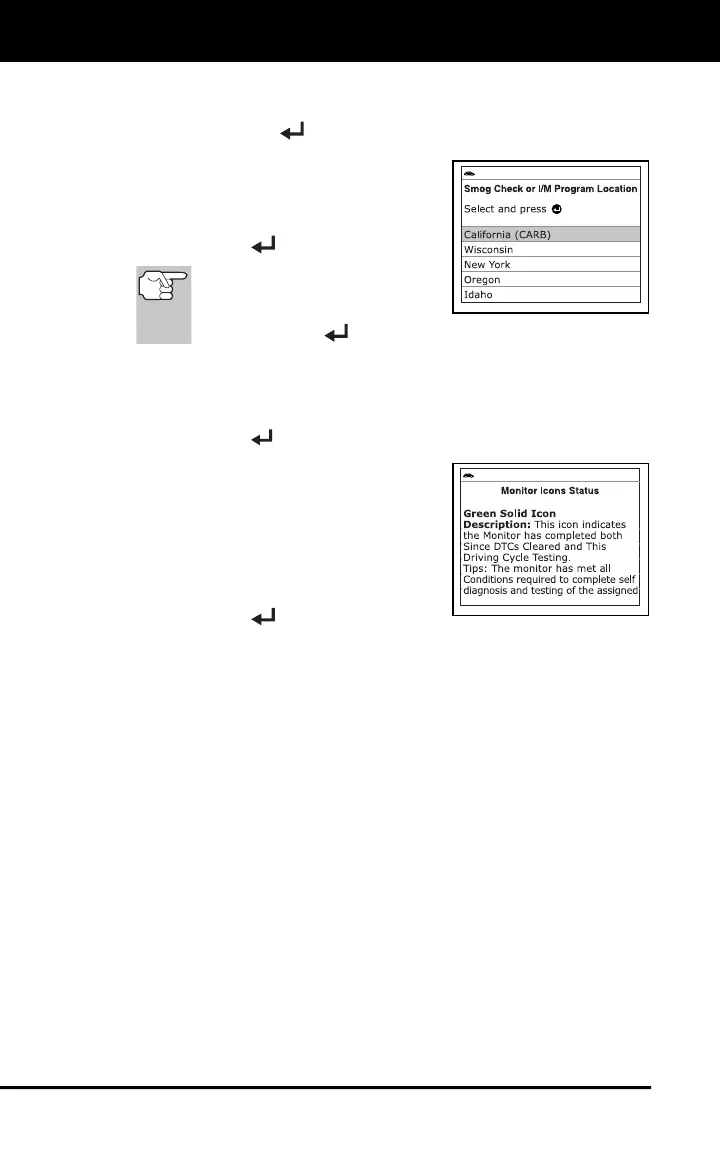
2. The Smog Check or I/M Program
Location screen displays.
3. Select the appropriate location from the
options provided, then press
MENU/ENTER
.
To return to the Main Menu
without making changes,
select Exit, then press
MENU/ENTER
.
VIEWING MONITOR ICON STATUS DEFINITIONS
1. Select Monitor Icons Status in the Main Menu, then press
MENU/ENTER
.
The Monitor Icons Status screen
displays.
The screen provides a description of
the meanings of the Monitor icon
status indications.
2. When you have finished viewing the
Monitor icon status definitions, press
MENU/ENTER
to return to the Main
Menu.



 To Next Page