Additional Functions
VIEWING VEHICLE INFORMATION
33
In addition to retrieving Diagnostic Trouble Codes (DTCs), you can use
the scan tool to perform additional diagnostic tests, to view diagnostic
and vehicle information stored in your vehicle's on-board computer, and
to configure the scan tool for your particular needs. Additional tests and
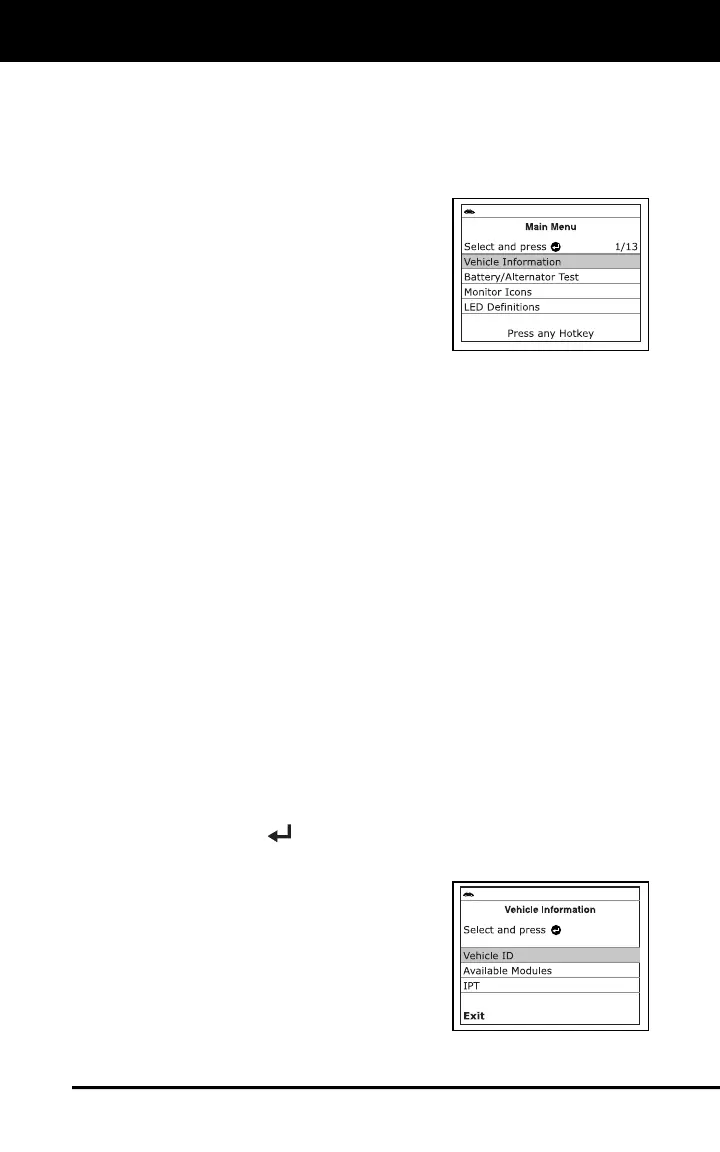
related functions are accessed through the Main Menu. The following
functions are available:
Vehicle Information – Displays the
Vehicle Info menu, which lets you
retrieve and view reference information
for the vehicle under test.
Battery/Alternator Test – Performs a
check of the vehicle’s battery and
alternator system to ensure the system
is operating within acceptable limits.
Monitor Icons – Shows the full names
for the I/M MONITOR STATUS icons.
LED Definitions – Provides descriptions of the meaning of the Scan
Tool SYSTEM STATUS LEDs.
Language Selection – sets the display language for the Scan Tool
to English, French or Spanish.
Adjust Brightness – Adjusts the brightness of the display screen.
Audible Tone – Turns the Scan Tool’s audible tone “o” and “off.”
When turned “on,” a tone sounds each time a button is pressed.
Footer – Turns the navigational “footers” at the bottom of most
display screens “on” and “off.”
Hotkey Legend – Shows functional descriptions for the Scan Tool’s
hotkeys.
Unit of Measurement – Sets the unit of measurement for the Scan
Tool’s display to USA or Metric.
Firmware Version – Displays the Scan Tool’s firmware version.
Smog Check of I/M Program Location – Sets the Smog Check or
I/M Program location for the vehicle under test.
Monitor Icons Status – Provides descriptions of the meaning of the
I/M Monitor Status icon indications.
To access the Main Menu:
Press MENU/ENTER .
- The Main Menu displays.
VIEWING VEHICLE INFORMATION
The Scan Tool offers three options for
retrieving reference information for the
vehicle under test; Vehicle ID, Available
Modules and IPT (In-use Performance
Tracking).



 To Next Page