MBT1015 rev-C
User’s Manual Version 18.08
Step 6. Now link up MBT1015 rev-C with PC by the following procedures:
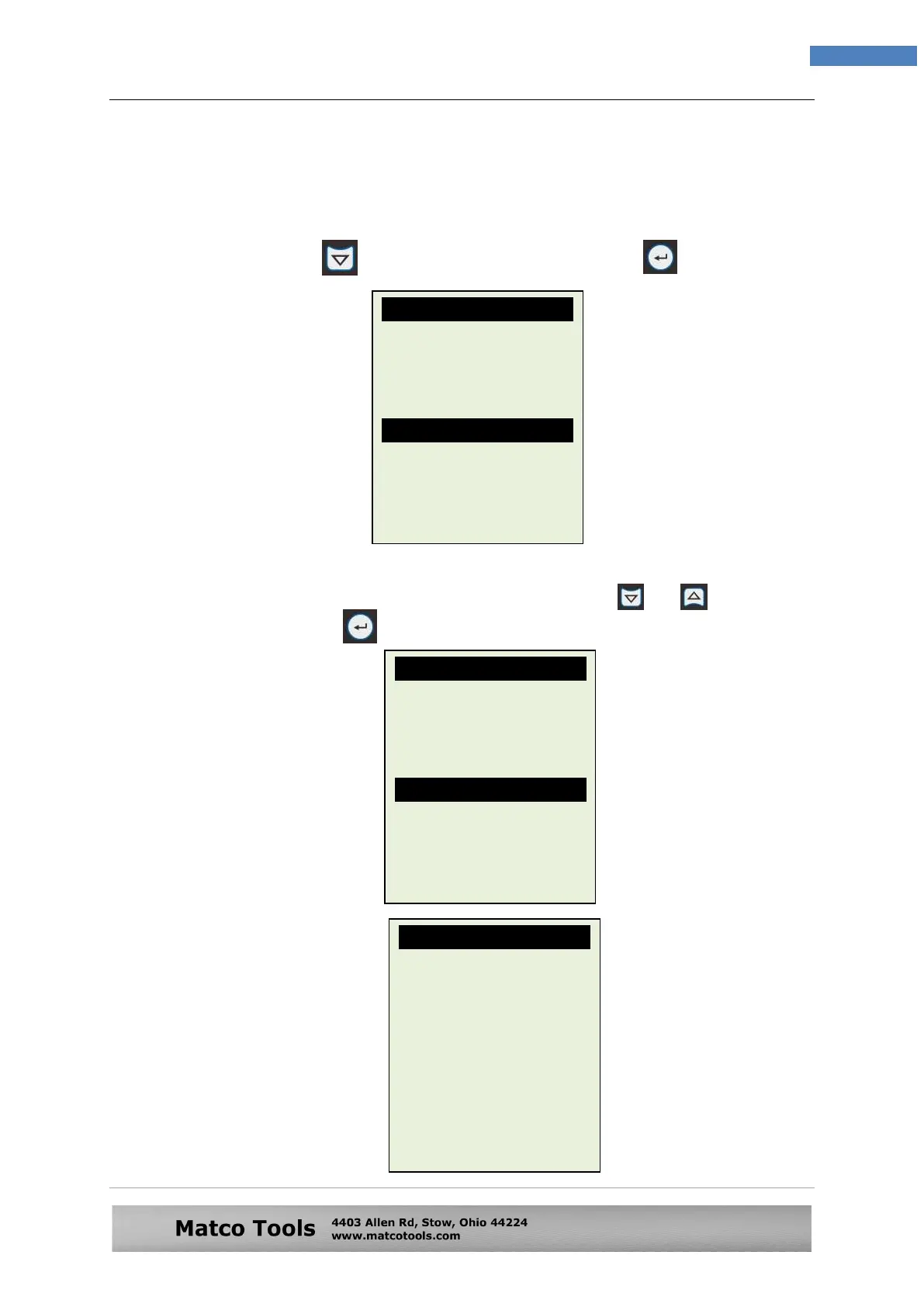
1. On the Main Menu page (Fig. 82) below, select [Stored Results] by
pressing key to highlight it and then press key.
2. The display (Fig. 83) will show a list of the particulars that you had
keyed in prior to the test. Select by scrolling or key and
then press key. The display will change to as shown in Fig.83.
Fig.82
Fig. 83
Fig.81
Select Menu
23/12/2014 16:48
New Test
Continue Testing
Stored Results
Setup Menu
Select: 1/1
AD8778ML
C1234MN
-
MR.SMITH
ADC8899L
BOSCH 12V
-
-
YUASA YTX7L-BS
Particulars:
22/12/2014 10:55
ADC8899L
SLI [WET type]


 To Next Page
 Loading...