2. Installing the Printer
M1100 – M1200 User Manual Rev. 1.3 Page 28/40
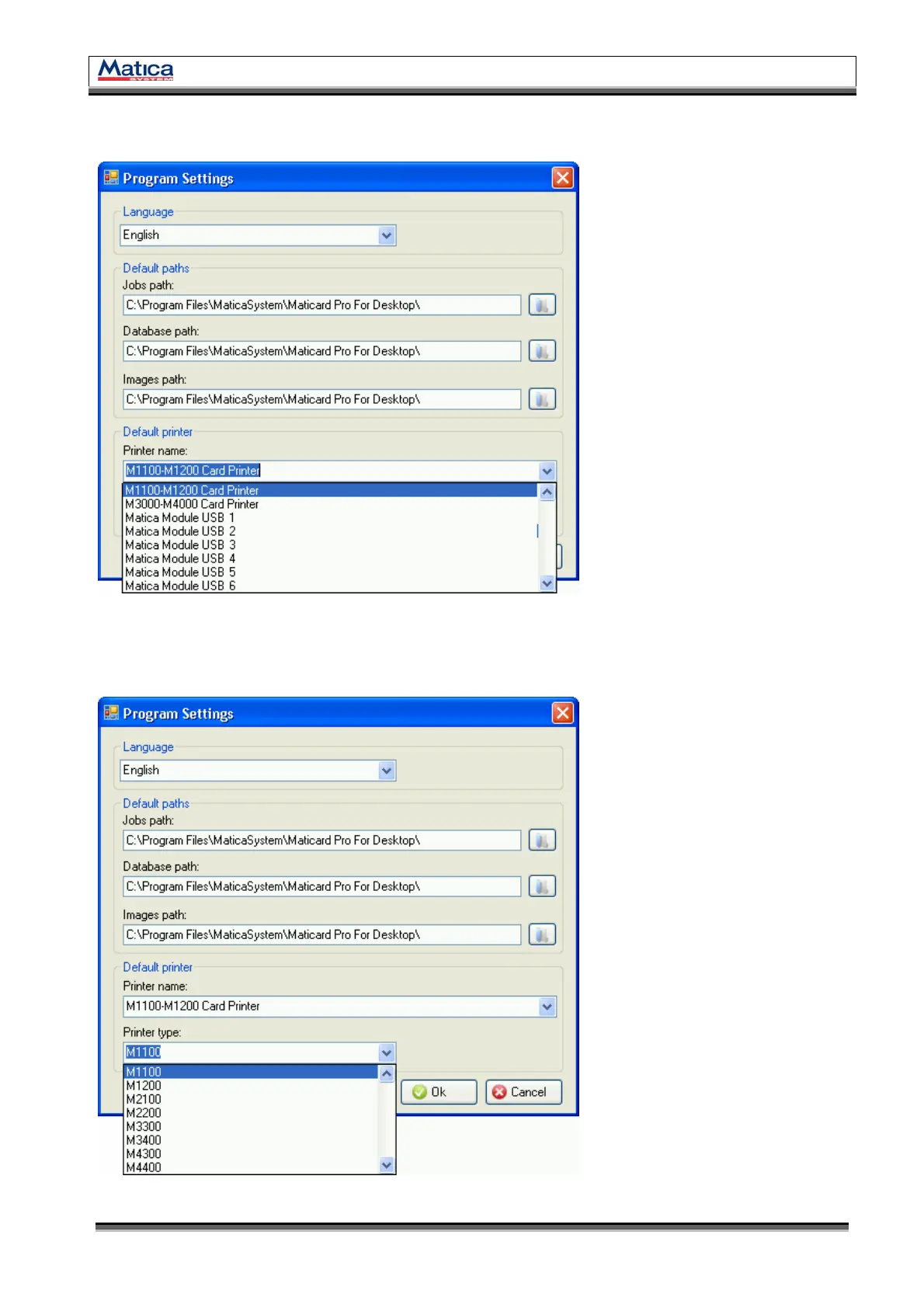
2.5.9. In the Program Setting window, select the M1100-M1200 Card Printer option from
the Printer name dropdown list.
<Figure 46> Printer name
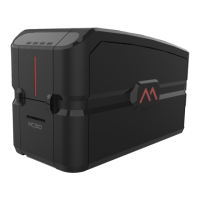
2.5.10. Then select the M1100 or the M1100 from the Printer type dropdown list.
To save the settings click OK.
<Figure 47> Printer type


 To Next Page