3. Checking and changing the Printer Properties
M1100 – M1200 User Manual Rev. 1.3 Page 33/40
3.2.1.3 Side/Media tab
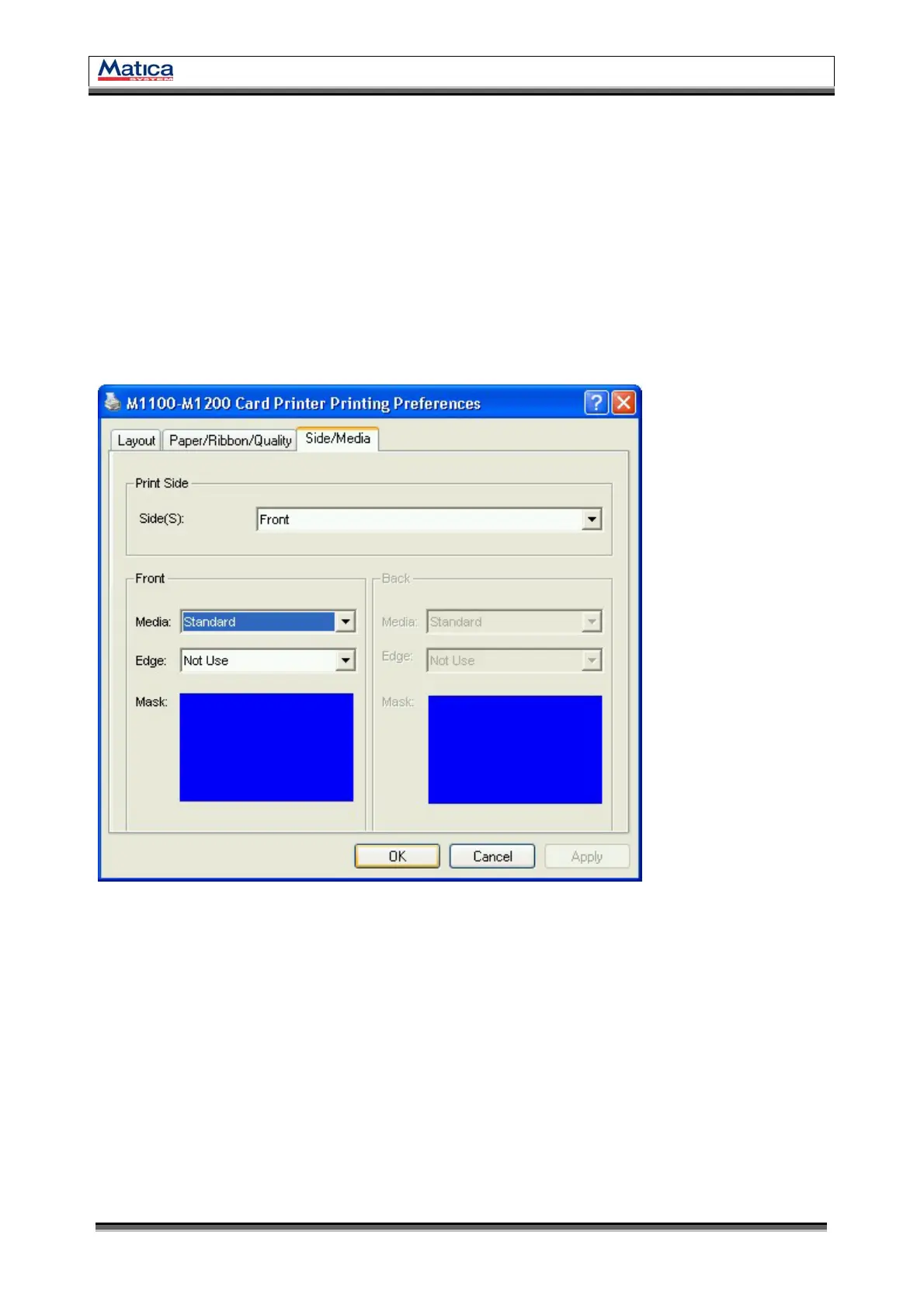
You can set the printing side and printing mask.
Print Side
You can select one side printing or both Sides printing.
Front / Back
The previously defined mask (standard, smartcard, magnetic, etc) can be applied to
front or back side.
<Figure 52> Side/Media.


 To Next Page