1. Introduction
M1100 – M1200 User Manual Rev. 1.3 Page 7/40
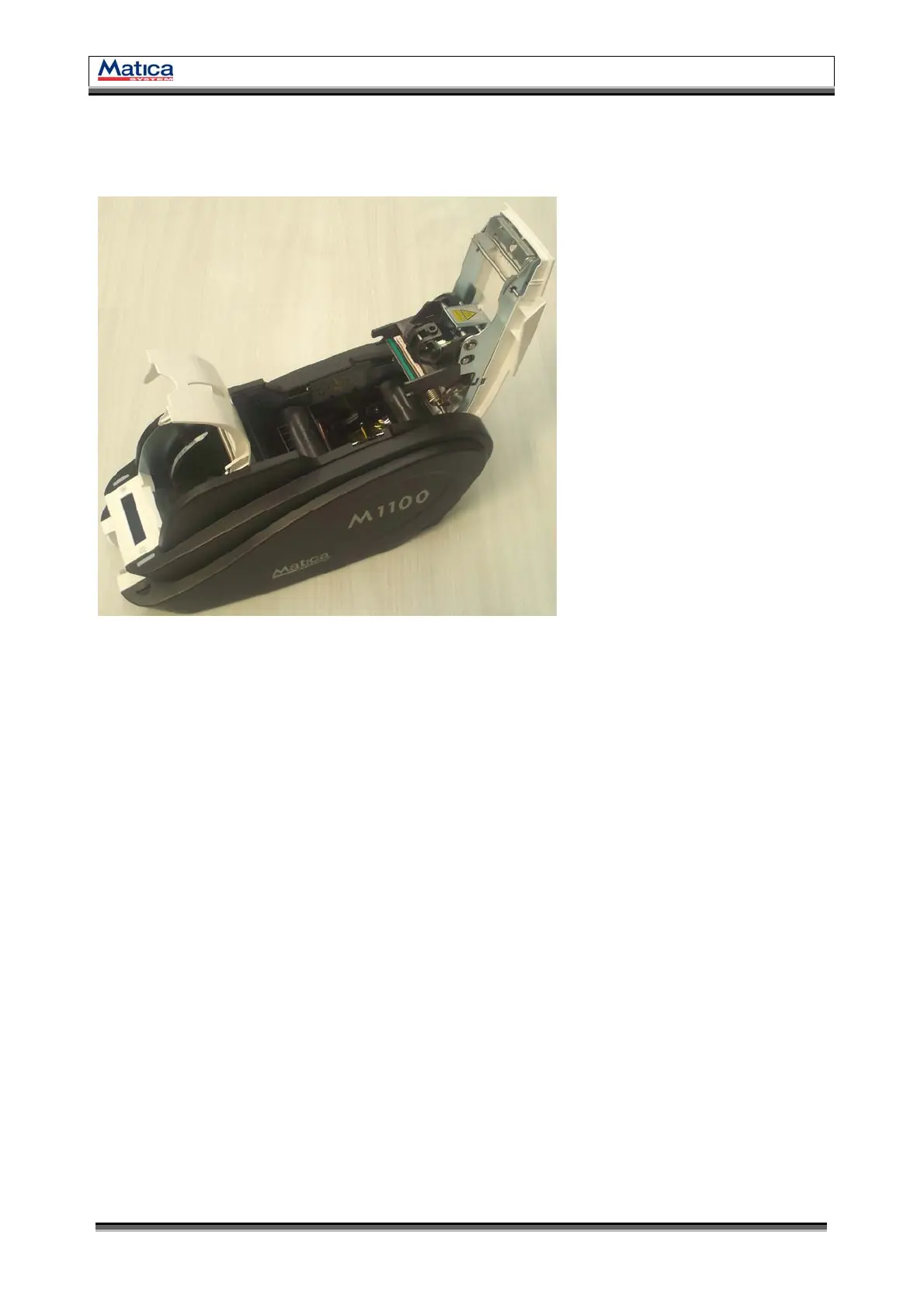
1.2 Printer Inside Features
M1100 – M1200 Printer adopts a semi-permanent Ribbon cartridge.
The following shows the internal functional features found on your M1100 – M1200 Printer.
1.2.1 Thermal Printer Head
This enables the cards to be printed.
(Caution! Do not contact the surface of the printer head with fingers or a sharp metal object to
avoid degrading print quality or damaging printer head permanently.)
1.2.2 Hopper(Card Input Hopper)
Load the cards for printing.
1.2.3 Stacker(Card Output Hopper)
Collect the printed and/or encoded cards.
1.2.4 Card Thickness Control lever
Adjust the cards thickness.
1.2.5 Manual Card Output Wheel
When a card is jammed, the card can be out using this wheel by manually.
(Information! Most of the card jam error can be solved by controlling the front LED buttons. So
use this wheel when the problem is not solved by using the front LED buttons.)
Thermal Printer Head
Ribbon Cartridge
Card Thickness Control lever
Hopper
Stacker(Output Hopper)
External Contactless IC Antenna
Manual Card Output Wheel
A
B
C
D
E
F
G
<Figure 3> Printer Inside Features
A
B
C
D
E
F
G



 To Next Page