1. Introduction
M1100 – M1200 User Manual Rev. 1.3 Page 8/40
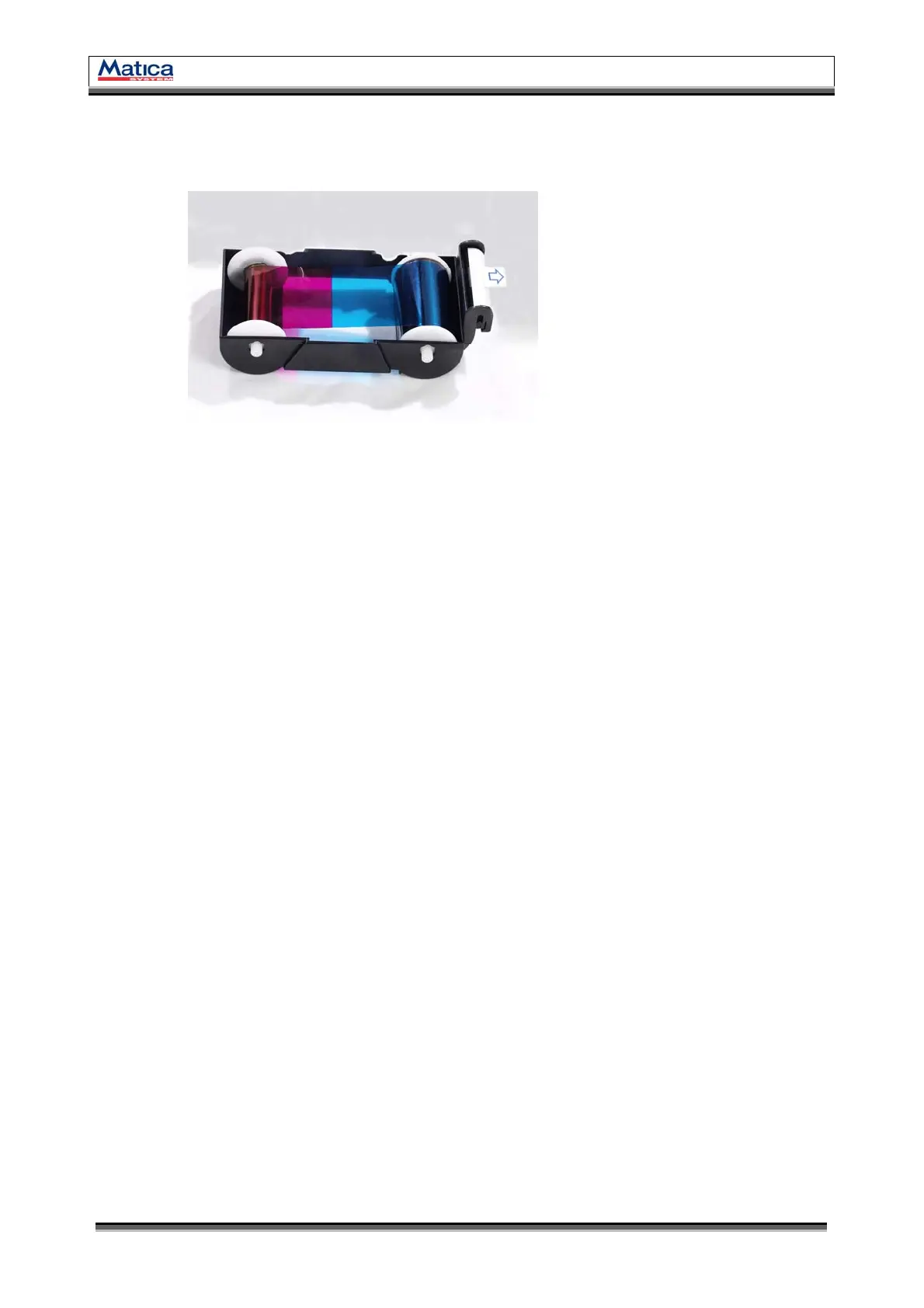
1.3 Ribbon Cartridge Features
1.3.1 Ribbon Cartridge
Install a Ribbon and a disposable cleaning roller provided with the Ribbon.
(Important!
This semi-permanent ribbon cartridge is a component of the printer. Printer does not operate if it
is broken or damaged. In this case, please contact printer reseller.)
1.3.2 Ribbon
Ribbon for printing.
1.3.3 Disposable Cleaning Roller
It removes dust in the surface of card to improve print quality before the card is printed.
It should be changed together with the Ribbon.
(Caution! This disposable cleaning roller is provided with the Ribbon. If this is not changed, print
quality mighty be degraded.)
Ribbon Cartridge
Ribbon
Disposable Cleaning Roller
A
B
C
<Figure 4> Ribbon Cartridge
A
B
C


 To Next Page