EasyManua.ls Logo

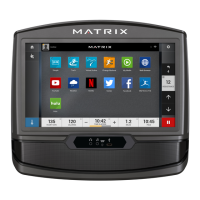
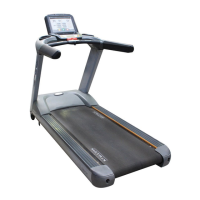
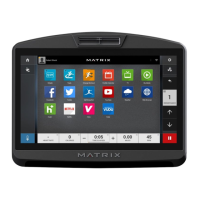
Matrix 7xe - User Manual

Matrix 7xe
63 pages
Print Icon
To Next Page IconTo Next Page
Loading...
2016 7XE/7XI
CONSOLE
SERVICE MANUAL

Other manuals for Matrix 7xe

Questions and Answers

  • J
    Jenny PorterSep 23, 2025
    How to fix fan over current in Matrix 7xe Music Mixer?
    • J
      Jordan TurnerSep 23, 2025
      If the fan is experiencing over current in your Matrix Music Mixer, enter the Engineer mode to disable B Level Error, bypassing CLASS A and B error codes. If the issue persists, replace the fan.
  • R
    Robert CaldwellAug 25, 2025
    What to do if the motor is disconnected in Matrix 7xe?
    • A
      Anthony WilliamsAug 25, 2025
      If the motor is disconnected on your Matrix Music Mixer, first check the motor cable connection at the MCB. Also, check the MCB LED DSP1 (MCU). If the LED DSP1 is blinking or solid, replace the motor. If LED DSP1 is not lit, replace the MCB.
  • C
    Christy WalkerAug 25, 2025
    What causes main motor over current in Matrix 7xe?
    • F
      Frank SingletonAug 26, 2025
      If the main motor of your Matrix Music Mixer is experiencing over current, check the condition of the running deck and belt. Replace the belt and flip or replace the running deck as needed. If the issue persists, consider replacing the MCB.
  • M
    Martin OchoaAug 27, 2025
    What causes over DC bus voltage in Matrix Music Mixer?
    • S
      scampbellAug 27, 2025
      If there's an over DC bus voltage issue with your Matrix Music Mixer, first check if the input power is normal (110V: over 140V / 220V: over 280V). If the input power is not the issue, replace the MCB.
  • C
    Carla JonesAug 27, 2025
    What to do if Matrix 7xe Music Mixer has low AC power input voltage?
    • K
      Kathleen MayAug 27, 2025
      If your Matrix Music Mixer shows a low AC power input voltage when the motor is running, verify that the input power is within the normal range (110V: below 76V / 220V: below 186V). If the input power is within range, replace the MCB.
  • C
    Connie KellerSep 16, 2025
    How to fix Inverter hardware interrupts error on Matrix Music Mixer?
    • A
      Anna GreenSep 16, 2025
      If your Matrix Music Mixer displays an 'Inverter hardware interrupts error', reboot the power. If the error persists, replace the MCB.
  • F
    Frank MaldonadoSep 13, 2025
    What causes resistance type error in Matrix Music Mixer?
    • J
      Joseph TannerSep 13, 2025
      If you are facing a Resistance Type Error on your Matrix Music Mixer, ensure that the machine type is set for the correct frame in the console. If it is set correctly, replace the LCB. If not, change to the correct type and reboot the power.
  • J
    joseph16Sep 15, 2025
    What to do if Matrix 7xe shows inner memory IC data read error?
    • H
      hollowaytheresaSep 15, 2025
      If your Matrix Music Mixer shows 'The inner memory IC data read error', reboot the power. If the error appears again, replace the MCB.
  • L
    Lisa BaxterSep 5, 2025
    How to check battery connection reverse protection in Matrix Music Mixer?
    • S
      Sherry JarvisSep 5, 2025
      If there's a battery connection reverse protection issue with your Matrix Music Mixer, check the battery wire connection between the battery and LCB. Also, check the battery voltage. If there is no data on voltage, replace the battery. If there is data on voltage, replace the LCB.
  • J
    Joseph BradySep 3, 2025
    How do I resolve an encoder error on my Matrix 7xe Music Mixer?
    • D
      Diane TuckerSep 3, 2025
      If you're encountering an encoder error on your Matrix Music Mixer, check the connection of the speed sensor cable from the LCB to the speed sensor. Also, check if LED D35 on the LCB is on when the brake is turned to the left release position. If LED D35 is off, move the stairs about 3 stairs and check to see if LED D35 is flashing. If not, replace the speed sensor. If yes, adjust the speed sensor position and clean the speed sensor of any debris, then re-test.

Summary

Important Safety Instructions

2.1 Electrical Requirements

Details dedicated circuits, grounding, and power for safe unit operation.

Console Overlay and Workout Description

Manager Mode

5.2 Manager Mode Overview

Detailed breakdown of settings and parameters within Manager Mode.

Engineering Mode

6.2 Engineering Mode Overview

Overview of settings and configurations available in Engineering Mode.

Service Mode

7.2 Service Mode Overview

Comprehensive list of service parameters and their values.

Troubleshooting

8.1 Electrical Diagrams

Visual representation of the console's internal electrical connections.

8.2 Error Code List

List of error codes, descriptions, and solutions for troubleshooting.

Part Replacement Guide

Software Upgrade Procedure

11.1 Software Upgrade Procedure from USB

Process for updating the console software using a USB drive.

Matrix 7xe Specifications

General IconGeneral
BrandMatrix
Model7xe
CategoryMusic Mixer
LanguageEnglish

Related product manuals