128
CHAPTER 10: ASCENT TRAINER SPECIFICATIONS AND ASSEMBLY GUIDE
10.5 TV PROGRAMMING INSTRUCTIONS (US) - CONTINUED
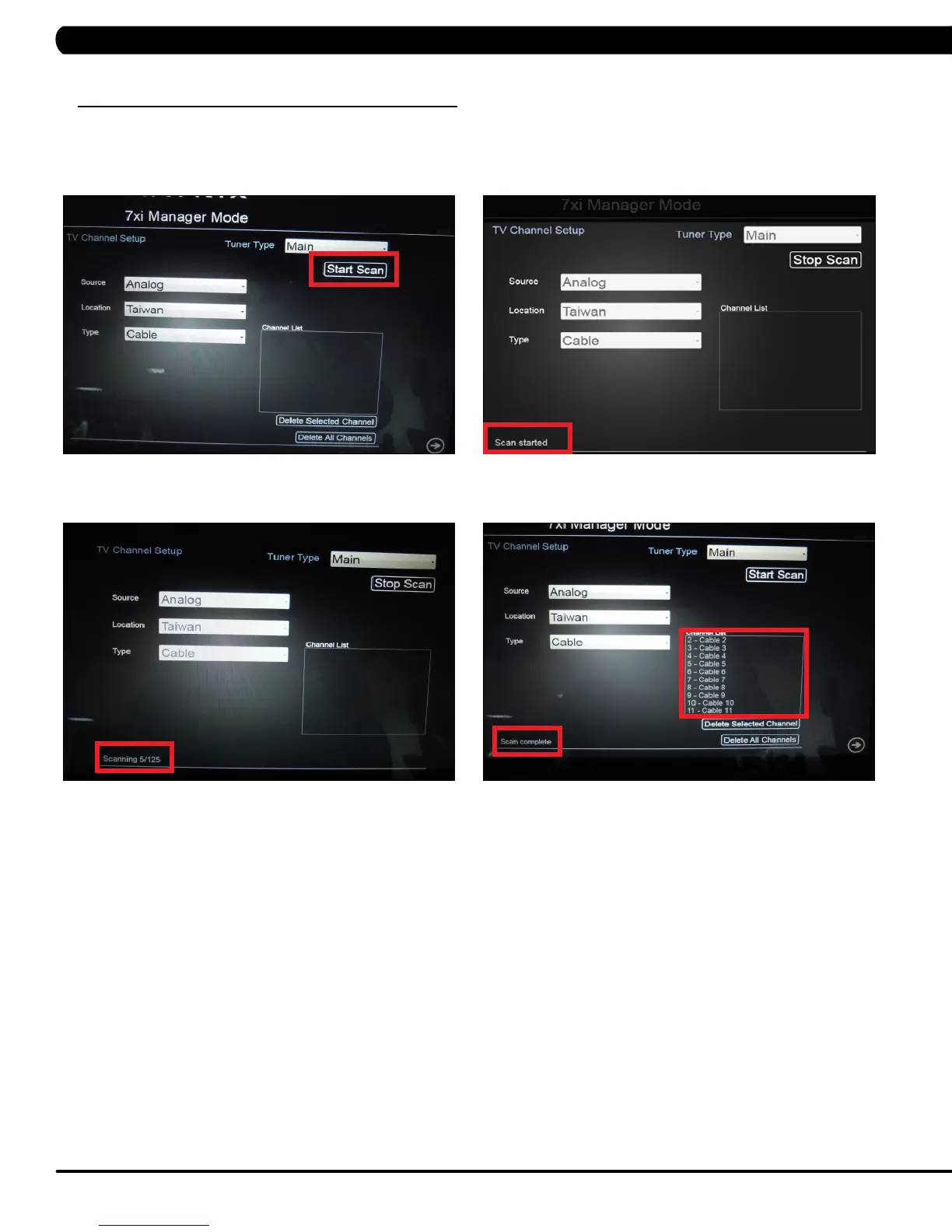
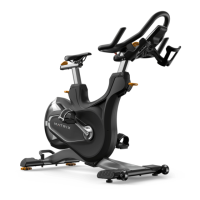
10. Press Start Scan to begin scanning (Figure M). Scan Started will be displayed on the bottom left hand corner of the screen (Figure N).
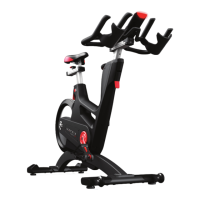
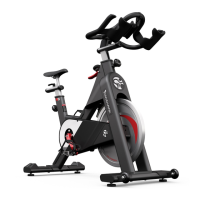
11. The achieved scan will be displayed on the bottom left hand corner of the screen (Figure O). Once the channel scan is complete, the
scanned channels will be displayed on the channel list on the screen (Figure P).
FIGURE PFIGURE O
FIGURE M
FIGURE N


 To Next Page