130
CHAPTER 10: ASCENT TRAINER SPECIFICATIONS AND ASSEMBLY GUIDE
10.5 TV PROGRAMMING INSTRUCTIONS (ID MARKET)- CONTINUED
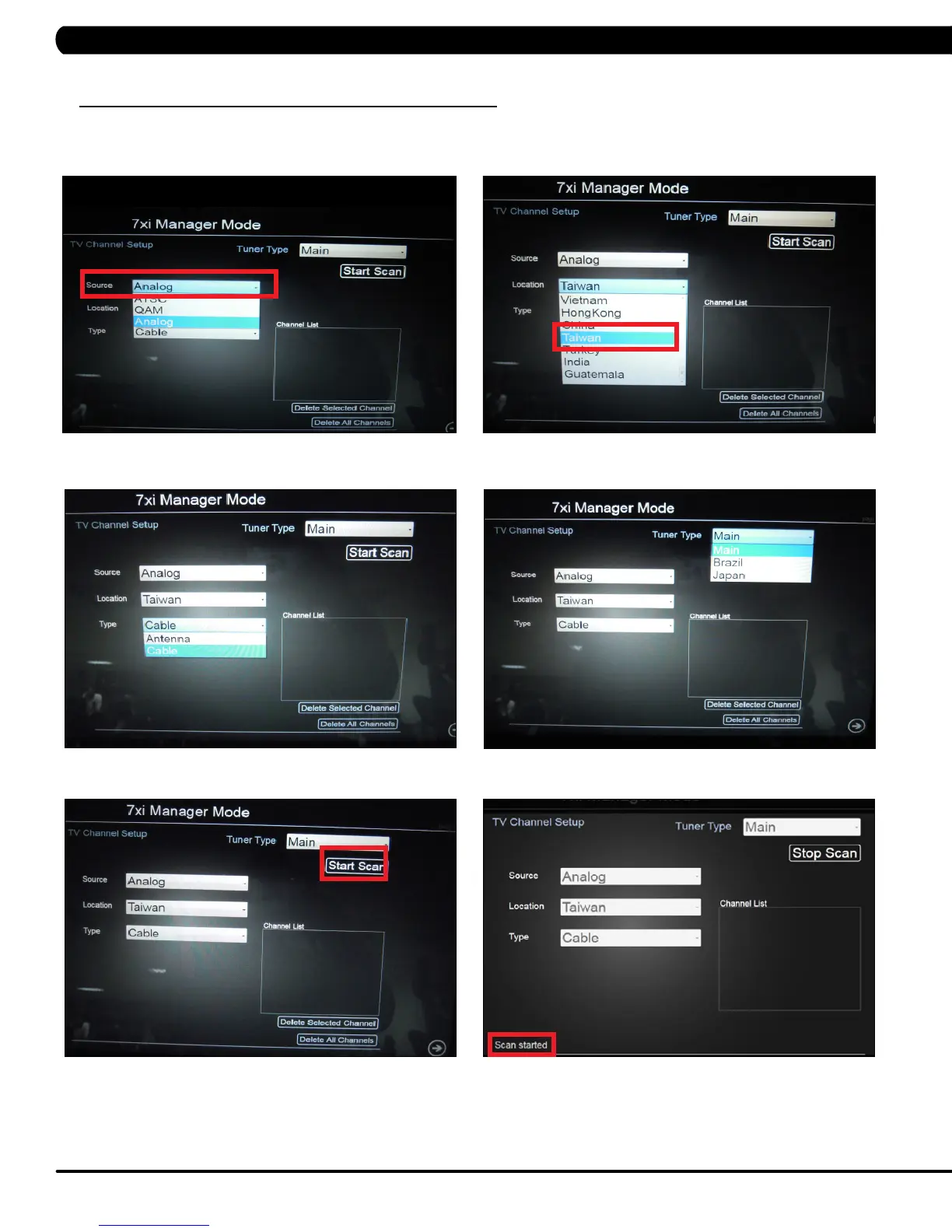
7. Select the Analog source on the screen (Figure G). Select your country location (Figure H).
8. Select the signal delivery type on the screen (Figure I). Select the tuner type on the screen (Figure J).
9. Press Start Scan to begin scanning (Figure K). Scan Started will be displayed on the bottom left hand corner of the screen (Figure L).
FIGURE JFIGURE I
FIGURE HFIGURE G
FIGURE LFIGURE K


 To Next Page