Matrox Millennium Installation Guide 25
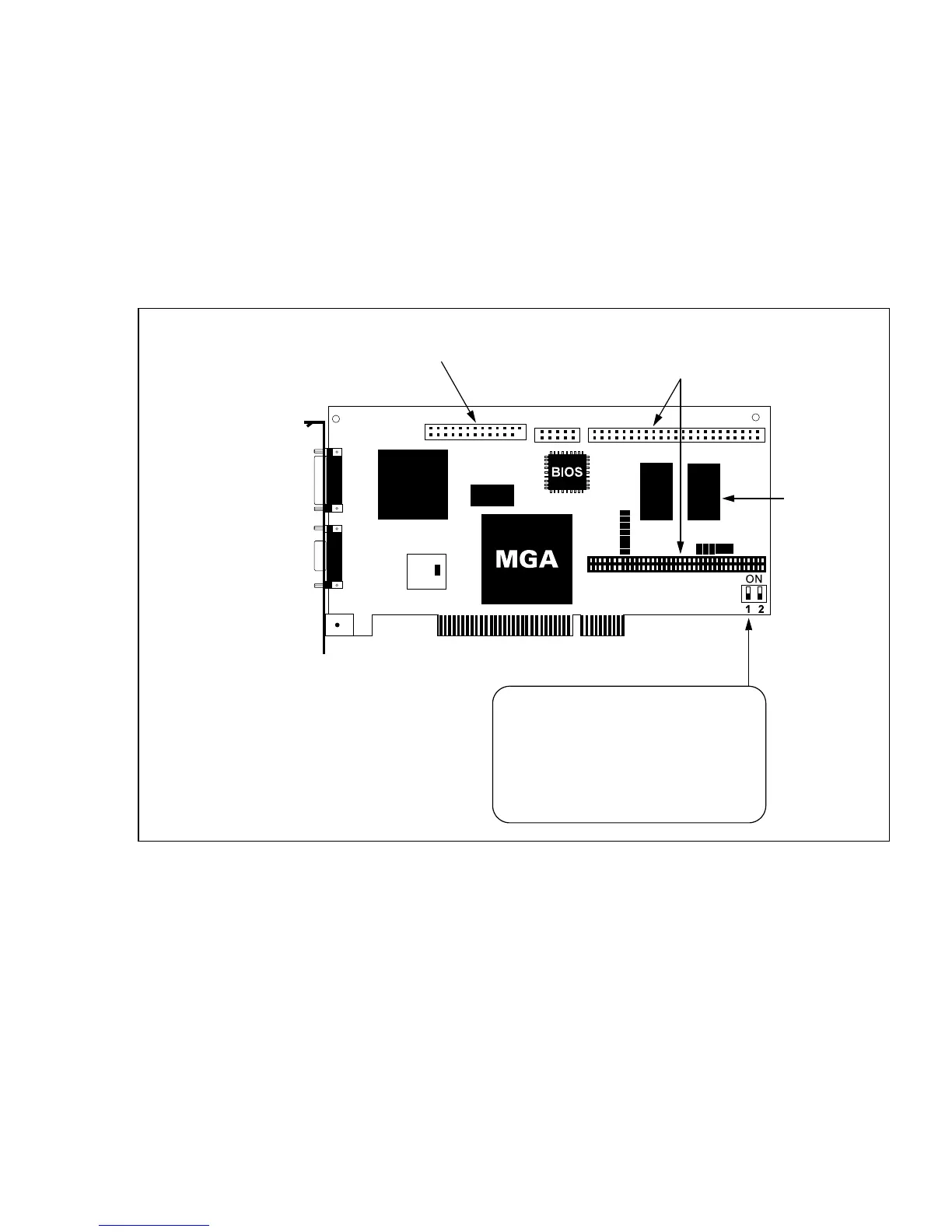
Switch 2: VGA Enable/Disable switch
By default the VGA of your Millennium card is enabled (Switch 2=OFF) for single-screen
operation, which means that you must remove or disable your existing VGA, if you have one. If the
VGA is on the motherboard of your PCI system, it should be disabled automatically.
This switch should be set to ON if you want to work in a dual-screen configuration. In this case
you will also be using either a VGA in another slot or on your system’s motherboard, or another
Matrox card for output to the second monitor.
Matrox Millennium Card
Connectors for
RAM expansion
module
VGA feature connector
(output only)
Media XL
Media adaptor
connector
PCI bus connector
2 or 4 MB
WRAM
Monitor
connector
DIP switch settings:
SW 1: OFF = BIOS protected
ON = BIOS unprotected
SW 2: OFF = VGA Enabled
ON = VGA Disabled











 To Next Page