Matrox Millennium Installation Guide 27
Troubleshooting
This section contains solutions to problems you may encounter with your Matrox Millennium.
Problem: Computer doesn’t boot after Millennium card is installed
Cause – Some computers may not properly detect the addition or change of an internal PCI card.
On start-up, a computer may beep differently from normal to indicate this error.
;
Solution – Reset your computer’s CMOS. This is usually done through a switch or jumper
on the motherboard of your computer. Check your system manual or contact your computer
vendor for instructions on how to do this.
Cause – There may be another graphics adapter in your computer.
;
Solution – If another graphics card is plugged into an expansion slot, remove it.
;
Solution – If a graphics adapter is built-in to your computer’s motherboard, your system
may have not automatically disabled it when you inserted your Millennium card. Check
your system manual for instructions on how to manually disable your computer’s built-in
graphics adapter.
Problem: Wrong color balance, screen image off-center, or no picture at all
Cause – Your monitor’s video controls may be improperly set.
;
Solution – Adjust your monitor’s controls (brightness, contrast and so on). See your monitor
manual for more information.
Cause – The monitor connections may have been inserted improperly.
;
Solution – Make sure the monitor’s power cable is firmly in place.
;
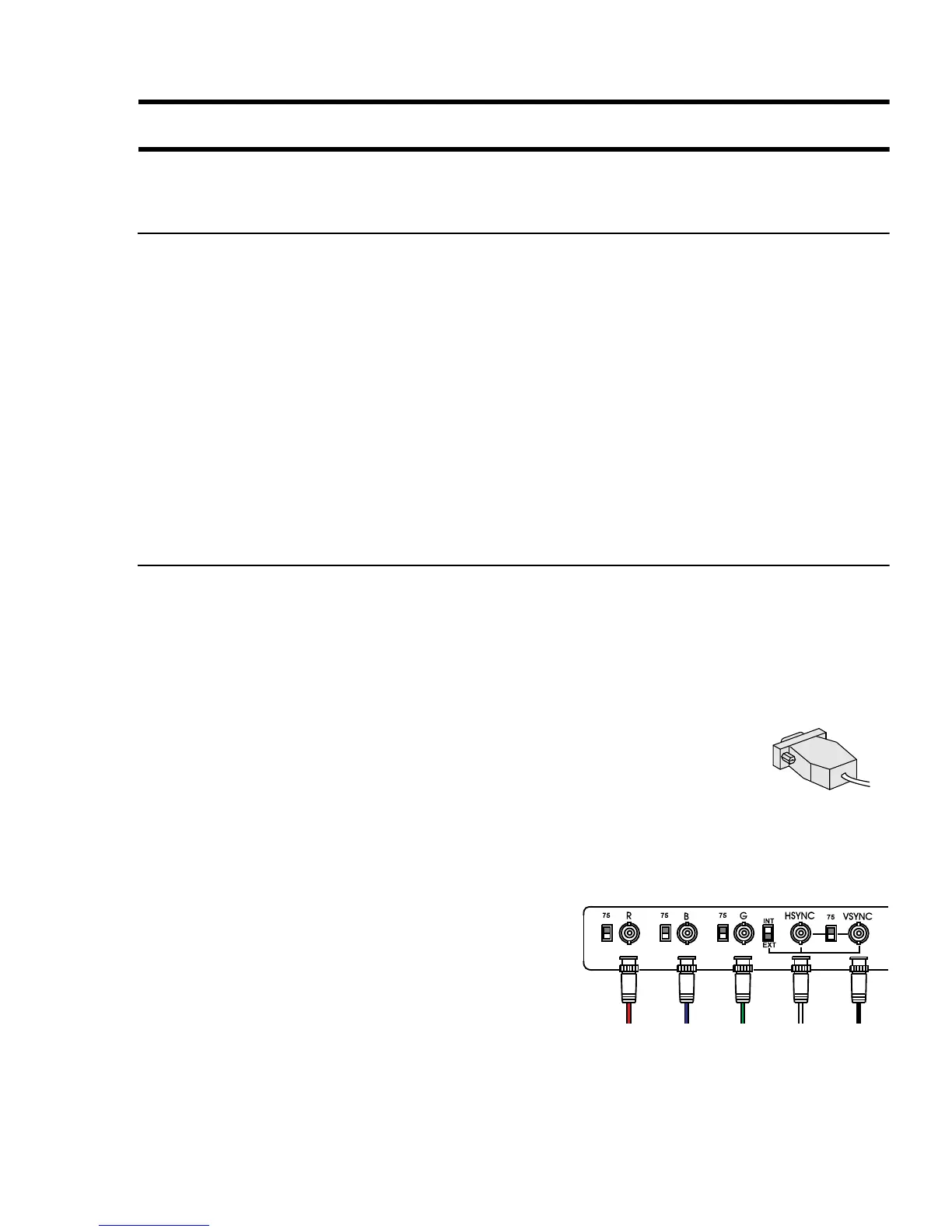
Solution – Make sure the 15-pin connector (see picture) to the
Millennium card is firmly in place.
;
Solution – If your monitor uses a 15-pin connector, make sure the
connection to the monitor is firmly in place.
;
Solution – If your monitor uses BNC input (see picture below), make sure the Red, Green,
Blue, Horizontal Sync (HSYNC – white or gray wire), and Vertical Sync (VSYNC – black
wire) connections are firmly in place and plugged into the correct input.
Cause – If your monitor uses BNC input (see picture),
one or more connection settings may be incorrect.
;
Solution – Set each of your monitor’s RGB input
and sync switches (if available) to 75 ohms, with
the sync set to “external”. These controls are
usually switches on the back of your monitor.
15-pin connector
Bayonet Nut Connect (BNC)











 To Next Page