4 Matrox Millennium Installation Guide
4
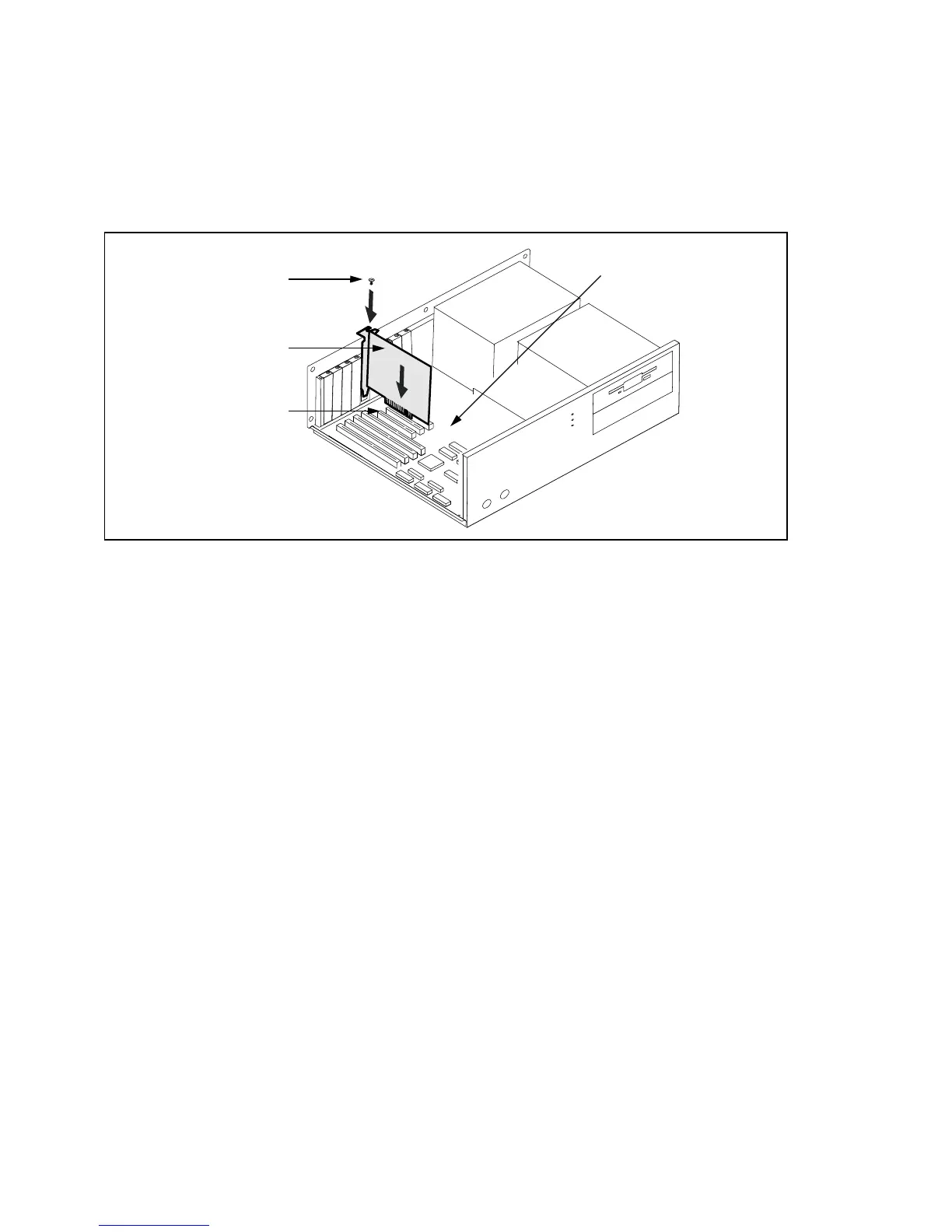
Plug the Millennium card in
Remove the cover for the slot you intend to use. Save the screw for the mounting bracket. Ground
yourself, then pick up the Millennium card and position it over the expansion slot you’ve chosen.
Push the card in firmly and evenly until it’s fully seated in the slot. Replace the screw to secure
the bracket of the Millennium card to the computer chassis.
5
Connect the monitor
Simply plug your monitor cable into the 15-pin video output connector on your Millennium.
You should have an analog multisync RGB (Red, Green, Blue) monitor that supports separate
vertical and horizontal sync. The Matrox Millennium can display all VGA and better resolutions
from 640 × 480 to 1600 × 1200, at vertical frequencies from 60 to 200 Hz. See “Display
information” on page 21 for details about monitor configuration.
Bracket screw
PCI expansion slot
Matrox Millennium card
Motherboard











 To Next Page