Introduction &
Contents
Installing your
VCR
Setting up your
VCR
Playing a
Video Tape
Recording
Programmes
Help and
Specification
AUTO TIME - Your VCR has an AUTO TIME feature, when this feature is ON your VCR will update the clock every hour
automatically. We recommend you leave this feature ON to ensure your recordings take place at the correct time. To switch
the feature OFF, select the AUTO TIME line and press REW or F.FWD to select ON or OFF. Press ENTER to store your setting
and MENU twice to clear the screen.
33
Advanced
Features
55
55
SELECT :
CLOCK SET
MONTH
DAY
TIME
SET
OK
:
: ENTER EXIT : MENU
YEAR
10
0 : 00
23 MON
2000
AUTO TIME ON
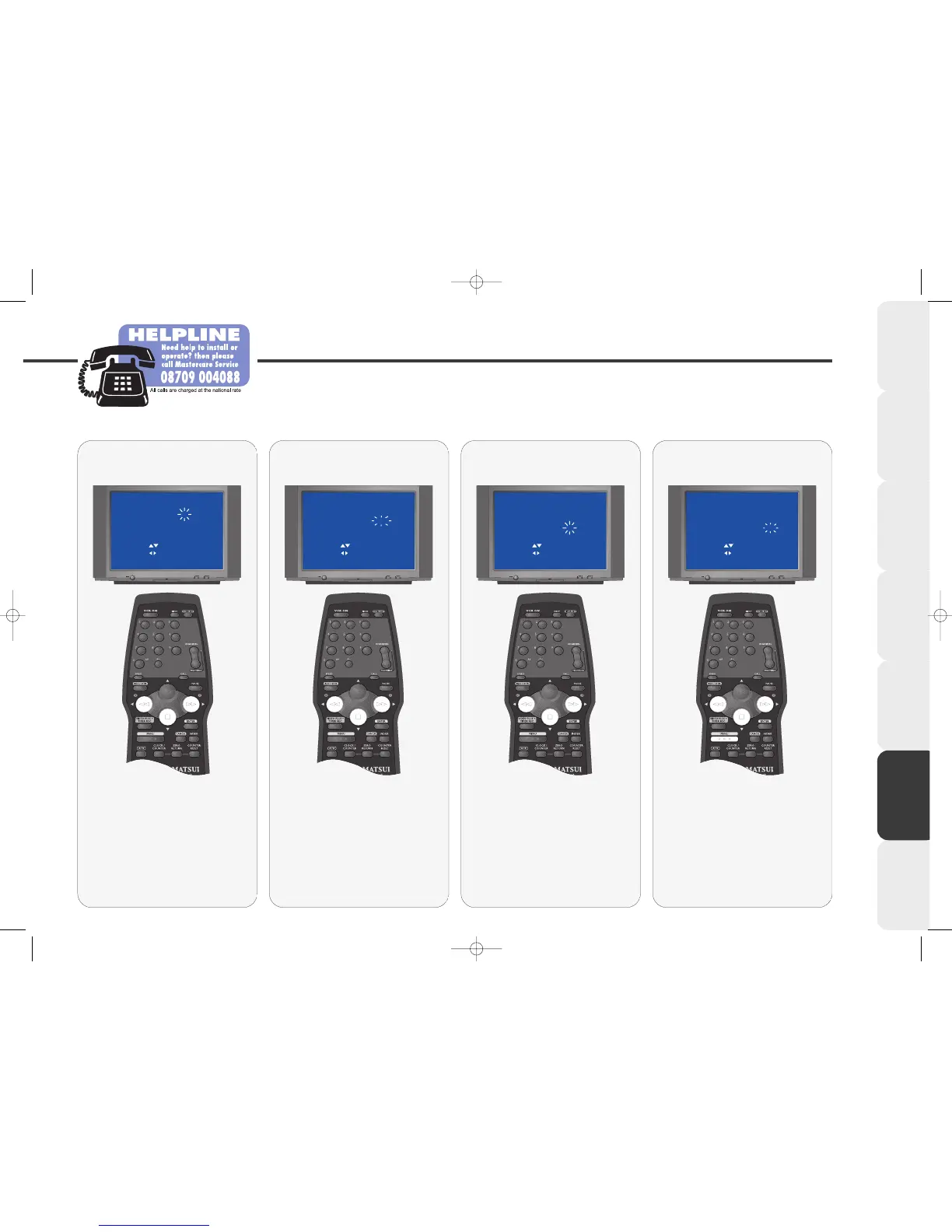
The YEAR digit will be flashing.
Press REW or F.FWD to select the
correct year.
Once the YEAR is set correctly the
DAY of the week near the top of
the screen should be correct.
Press STOP to store the year.
Set the YEAR
66
66
SELECT :
CLOCK SET
MONTH
DAY
TIME
SET
OK
:
: ENTER EXIT : MENU
YEAR
10
2000
23 MON
11: 00
AUTO TIME ON
The HOUR digit will be flashing.
Press REW or F.FWD to select the
correct hour.
Please note that your VCR clock
uses the 24 hour format.
Press STOP to store the hour.
Set the HOUR
77
77
SELECT :
CLOCK SET
MONTH
DAY
TIME
SET
OK
:
: ENTER EXIT : MENU
YEAR
10
2000
23 MON
11: 00
AUTO TIME ON
The MINUTE digit will be flashing.
Press REW or F.FWD to select the
correct minute.
Press STOP to store the minute.
Press the MENU button 3 times to
remove the menu.
Set the MINUTE
44
44
SELECT :
CLOCK SET
MONTH
DAY
TIME
SET
OK
:
: ENTER EXIT : MENU
YEAR 2000
0 : 00
23 MON
10
AUTO TIME ON
The MONTH digit will be flashing.
Press REW or F.FWD to set the
correct month (1-12).
e.g. enter 3 if the month is March
or 8 if the month is August.
Press STOP to store the month.
Set the MONTH
VP9408.qxd 14/04/00 15:00 Page 33



 To Next Page