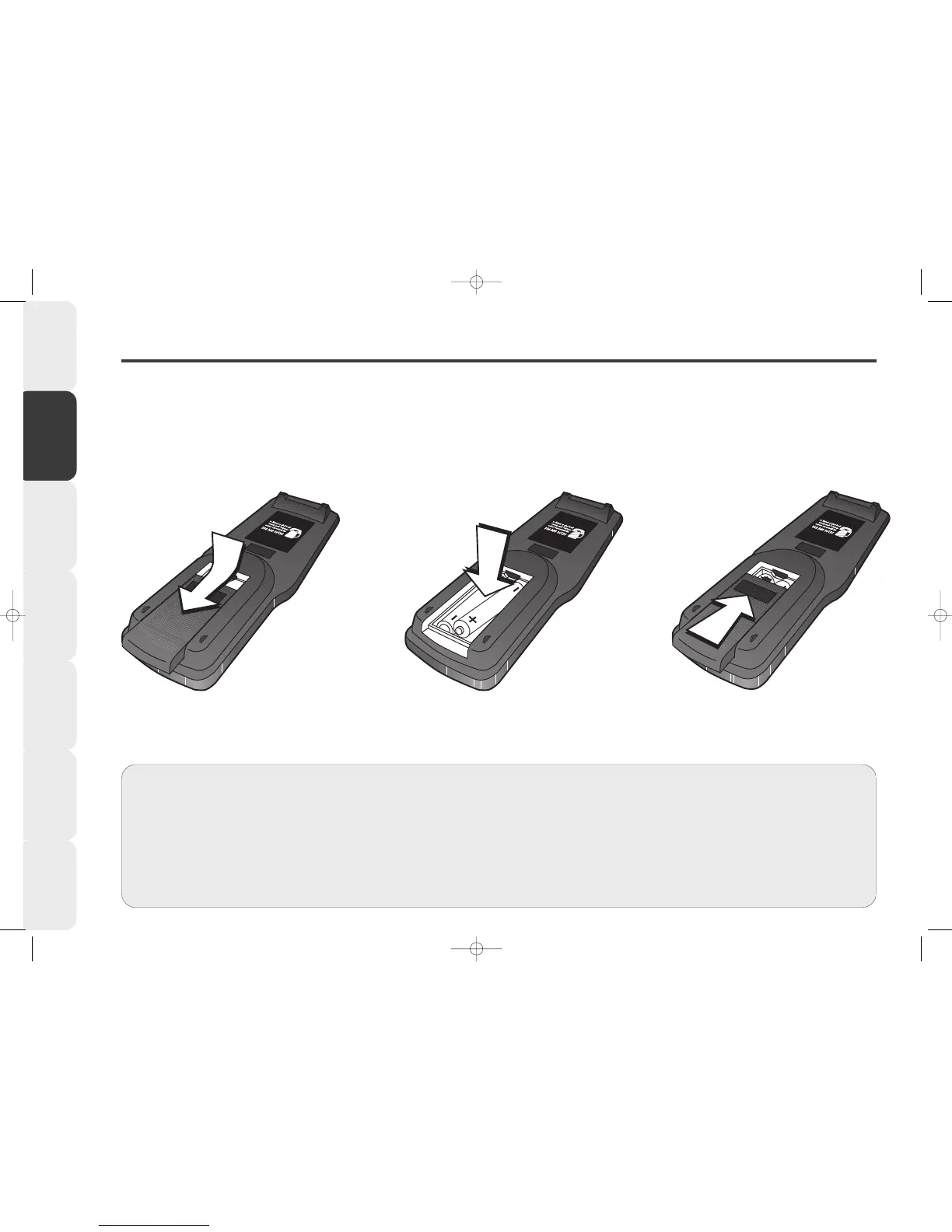
Putting Batteries into your Remote Control
Remove battery
cover
Carefully slide back and remove the
BATTERY COVER from the back of
your remote control.
11
11
Insert batteries
Insert two AAA / R03 / UM-4 size
batteries into the battery
compartment. Make sure they are
inserted the correct way round.
22
22
Replace battery
cover
Slide the BATTERY COVER back into
place.
33
33
6
Introduction &
Contents
Installing your
VCR
Setting up your
VCR
Playing a
Video Tape
Recording
Programmes
Advanced
Features
Help and
Specification
••
•• Remote control operation may become erratic if direct sunlight, fluorescent lamp,
standard household lamp (incandescent) or any other strong light source shines on
the remote sensor on your VCR.
••
•• Make sure there are no obstacles between your VCR and the remote control.
••
•• Do not operate your VCR from a distance greater than 5 meters.
••
••
Do not operate your VCR away from the normal viewing angle; over 30
o
either
side of the remote sensor on your VCR.
••
•• Use two AAA/R03/UM-4 size batteries for the remote control.
••
•• The batteries may last approximately one year depending on how much the
remote control is used. For best performance it is recommended batteries are
replaced every year, or when remote control operation becomes erratic.
••
•• Do not mix old and new batteries or different types.
••
••
Weak batteries can leak and severely damage your remote control. Always
remove batteries when they become weak, or if your VCR is not to be used for a
long time.



 To Next Page