34
Introduction &
Contents
Installing your
VCR
Setting up your
VCR
Playing a
Video Tape
Recording
Programmes
Advanced
Features
Help and
Specification
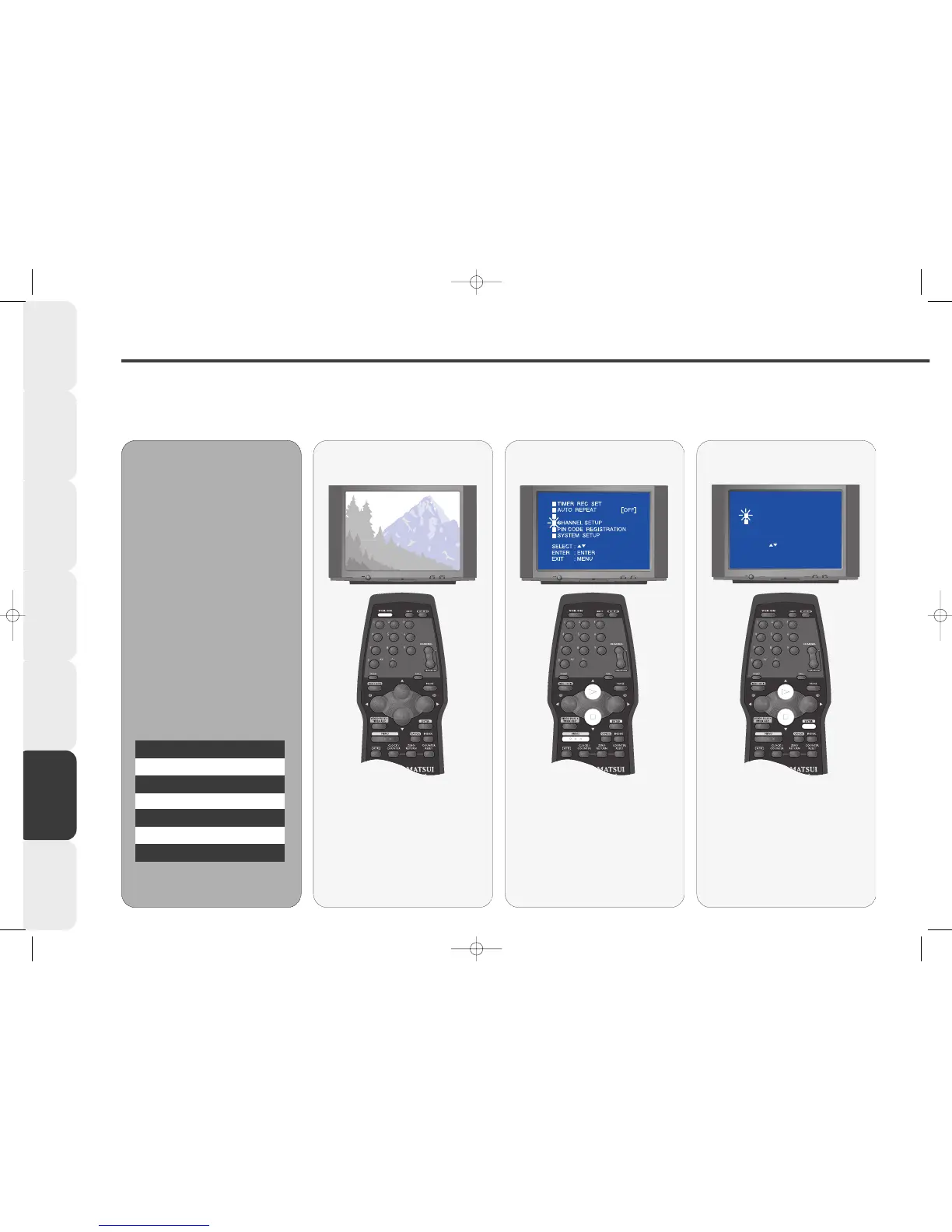
Manual Tuning
You should only need to manually tune channels on your VCR if the Auto SET-UP missed one or you wish to tune in re-tune a duplicate
channel, e.g. you may have two ITV’s - Anglia and Carlton and may wish to tune Carlton into channel 3 instead of Anglia.
11
11
If your VCR is in standby, press the
VCR ON button on the remote
control to switch it on. Select the
VCR channel on your TV.
Switch your VCR
ON
22
22
Press the MENU button on the
remote control, the MAIN menu
will appear.
Press PLAY or STOP to highlight
CHANNEL SETUP.
Select the main
MENU
33
33
Press ENTER.
Press PLAY or STOP to highlight
CH. TUNING.
Press ENTER.
Select CH TUNING
••
•• Your VCR is fitted with a tuner
that can store up to 80 different
stations (if available).
••
•• Before you can view a channel
on your VCR or make a recording
you must tune all available stations
into your VCR.
••
•• Switch on any external
equipment connected to your VCR
(e.g. a satellite decoder) before
you start tuning.
••
•• It is highly recommended that
you store the stations you tune in
the order shown in the table below.
MM
MM
aa
aa
nn
nn
uu
uu
aa
aa
ll
ll
TT
TT
uu
uu
nn
nn
ii
ii
nn
nn
gg
gg
VCR Channel Station
1 BBC1
2 BBC2
3 ITV
4 Channel 4
5 Channel 5
6 Decoder (if fitted)



 To Next Page