Firmware Update
-28- Maverick MK2 Spot User Manual Rev. 4
5. FIRMWARE UPDATE
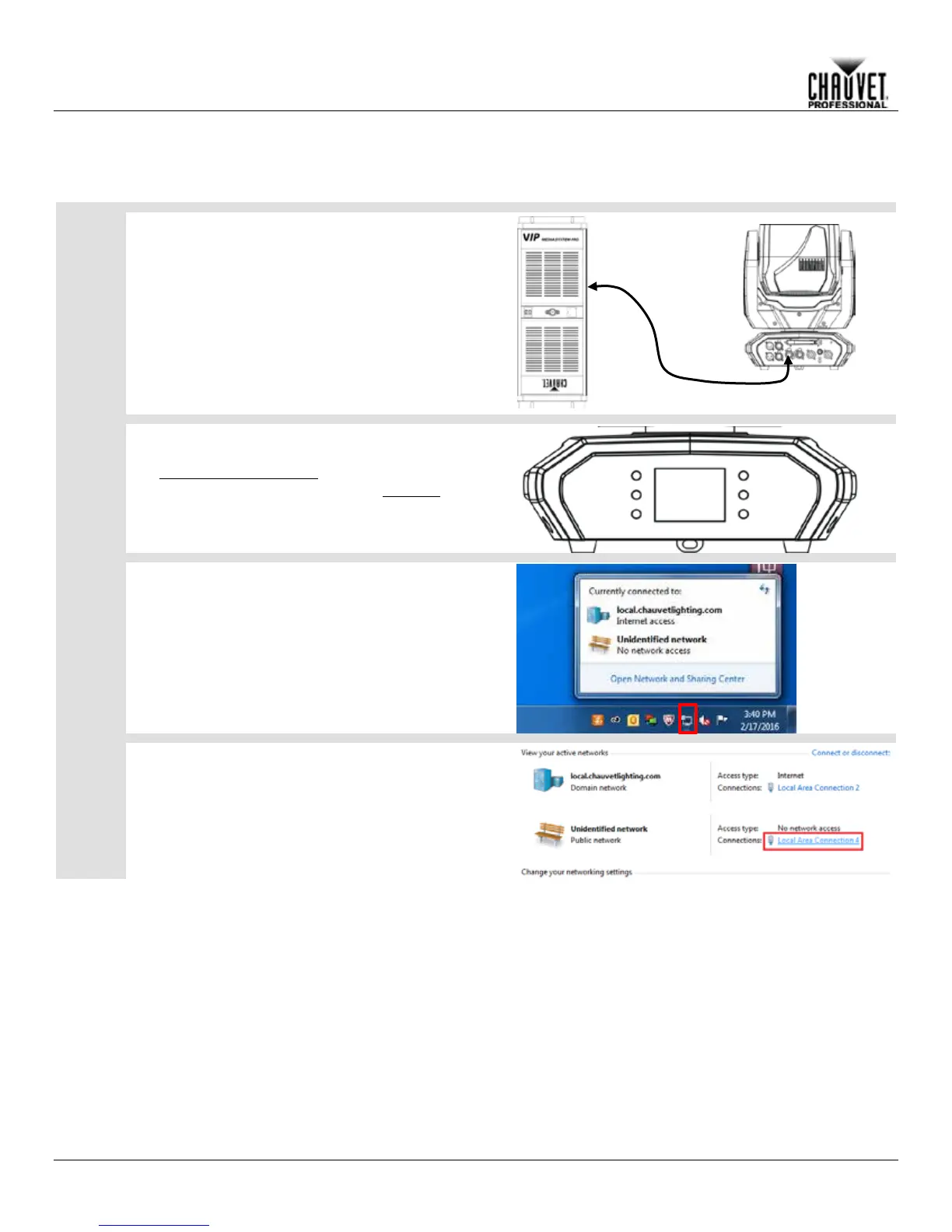
The following steps apply to the Windows® 7 operating system:
Connect the Maverick MK1 Hybrid to a computer
1.
with an ethernet cable.
Verify the network with the Maverick MK1 Hybrid 2.
is connected to the computer.
Set the control protocol on the Maverick MK1
1.
Hybrid to ArtNet in Single Control mode. (See
Single Control Protocol)
Set the IP Mode to Static. (See IP Mode) 2.
On the computer, open the Network and Sharing
Center (through the Start Menu, the Control Panel, or
the Network icon on the right side of the Taskbar).
Select the network that the product is connected to by
clicking the blue text that corresponds
on the right side of the window.



 To Next Page