Firmware Update
Maverick MK2 Spot User Manual Rev. 4 -29-
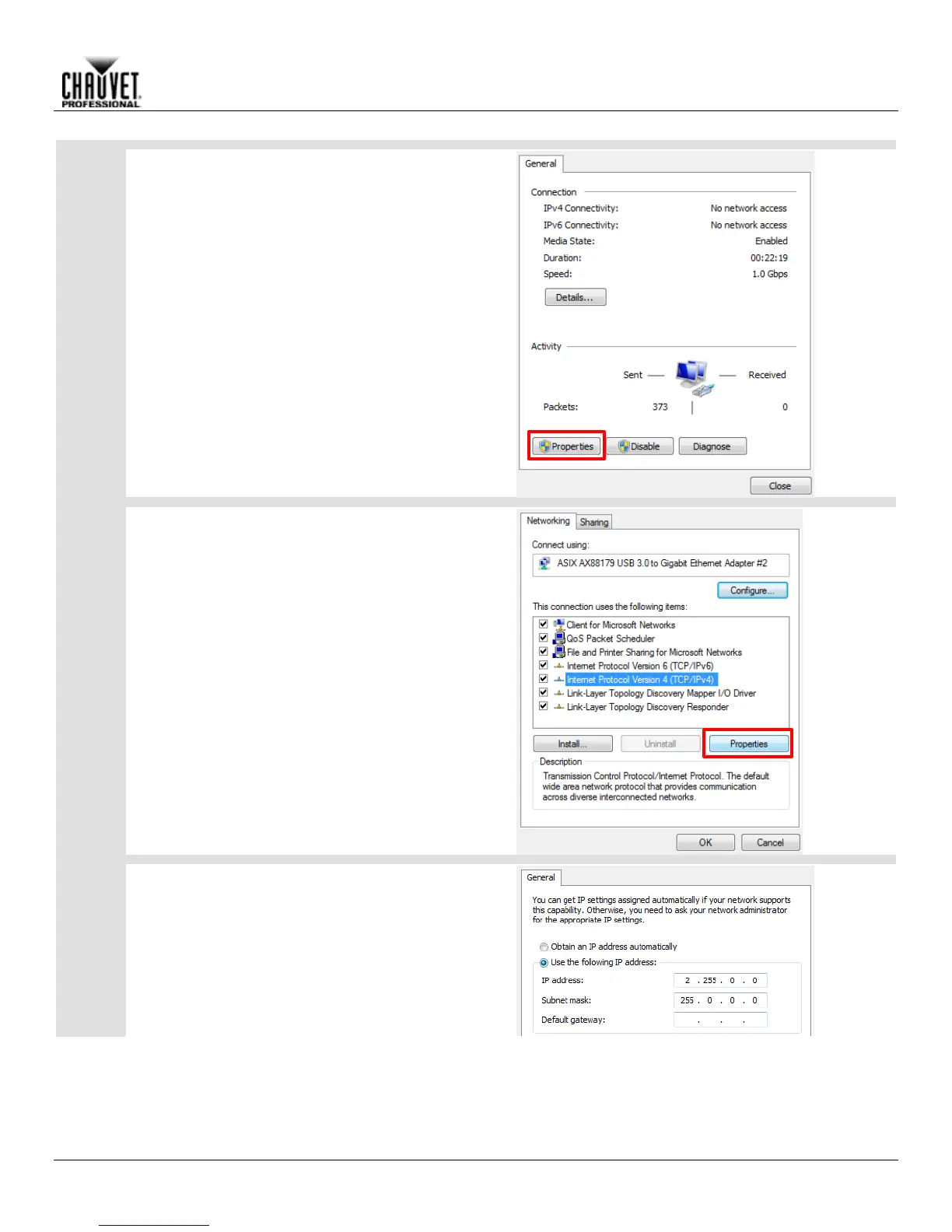
Click Properties on the Status window that pops up.
On the Properties window:
Click on Internet Protocol Version 4 (TCP/IPv4) 1.
to select it.
Click Properties. 2.
On the TCP/IPv4 Properties window:
Select Use the following IP address: 1.
Type 2.255.0.0 into the IP address bar. 2.
Press <Tab> on your keyboard. The Subnet 3.
mask bar should automatically populate as
255.0.0.0. If not, then enter it manually.
Ignore the Default gateway bar. 4.



 To Next Page