Weightless calibration
Use this method when applying a known weight is not
convenient or desired.
For Precision Calibration method, see page 4-5.
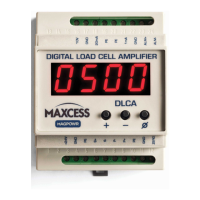
Enter the programming mode by pressing and holding [+] and
[-] for two seconds.
Use the [+] and/or [-] buttons to go to parameter P.01. Press
[] to see the present load cell excitaion voltage. Select either
5V or 7.5V. When using MAGPOWR load cells select 7.5V. Press
and hold [] for two seconds (until the display starts flashing)
to store the changes.
Use the [+] and/or [-] buttons to go to CAL2. Press [] to enter
the CAL2 sub-menu.
Display now shows C2.1. Unload the load cell roller and press
[]. The DLCA will now zero out the idler roll weight and show a
wait display. After zeroing the DLCA will automatically
increment to the next parameter.
Display now shows C2.2. Press [] and select the decimal point
position for tension. Press and hold [] for two seconds (until
the display starts flashing) to store the decimal point position
chosen.
Display now shows C2.3. Press [] and enter the load cell
sensitivity in mV/V units. MAGPOWR load cells have a sensitivity
of 2.1 mV/V. (Consult the manual of competitor's load cells if
using non-MAGPOWR load cells.) Press and hold [] for two
seconds (until the display starts flashing) to store the
parameter.


 To Next Page