62
Preparation
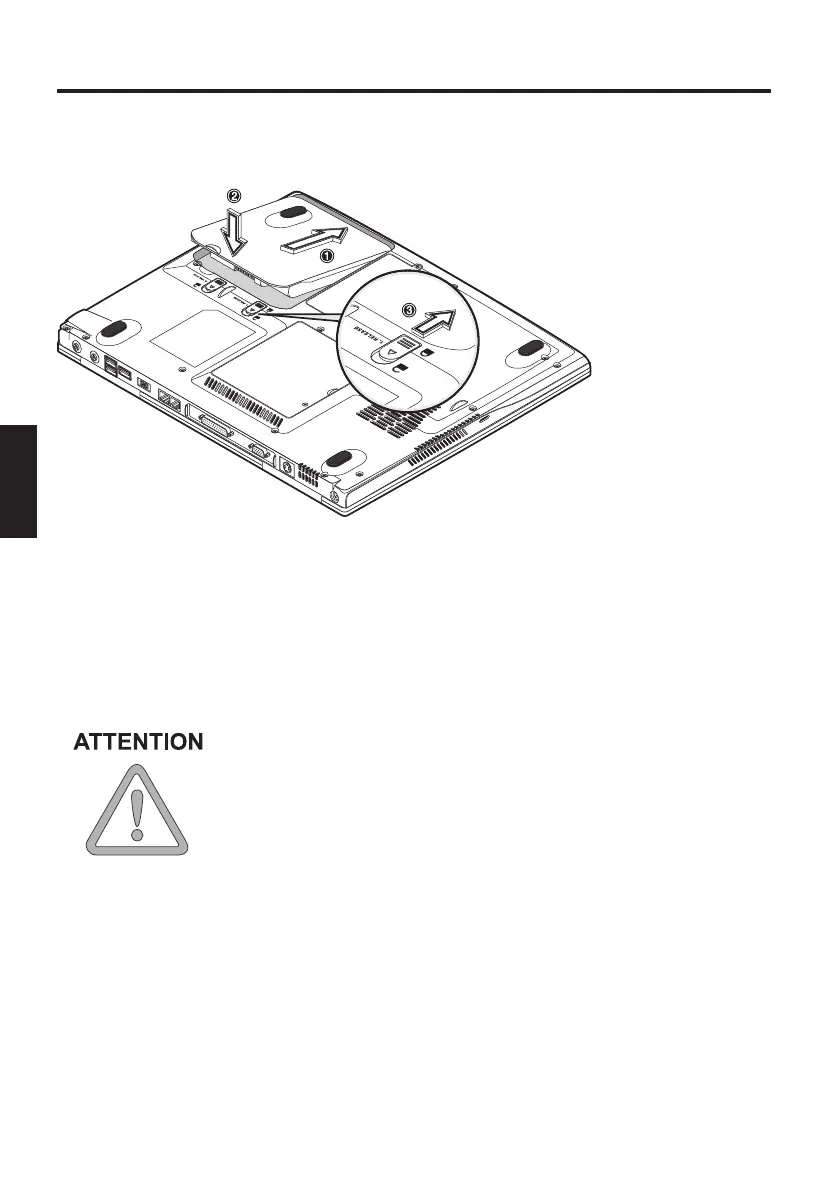
INSERTING THE BATTERY
(The battery is included in the notebook’s shipping contents. This battery
is only partially charged.
REMOVING THE BATTERY
Slide the catches (3)+(4) backwards. The battery is released.
Slide the battery out of the holder and lift it upwards out of the battery
slot.
You can now run the notebook with the power adapter alone!
(1) Insert the battery into the battery slot in the direction of the arrow.
(2) Gently push the battery until it locks into place.
(3) Lock the battery into position.
The battery can now be charged up.
Make sure that you allow the battery to charge for
TWO hours if the computer is switched off, or for FOUR
hours if the computer is switched on!
It is absolutely essential that the first time you charge the
battery you fully charge it! Do not unplug the notebook
from the power adapter until the battery is fully charged.
Fig. 3



 To Next Page