75
SYSTEM OVERVIEW
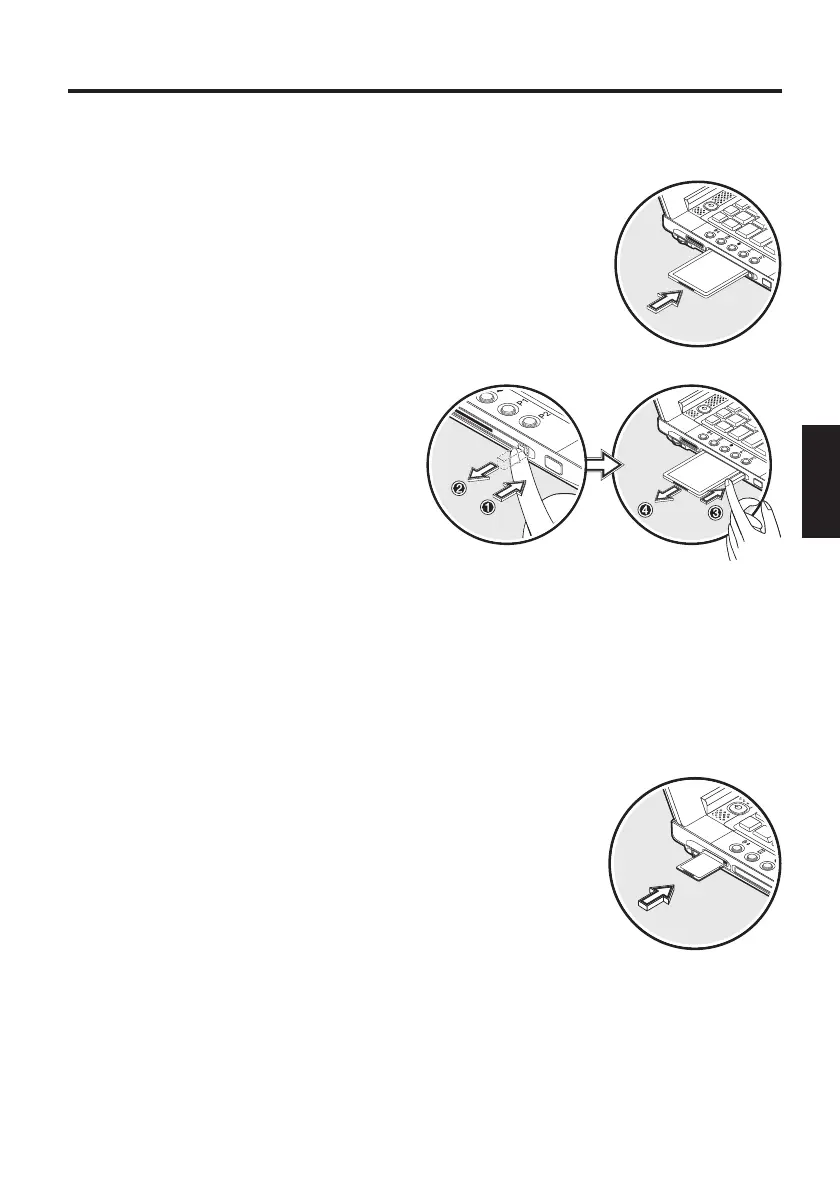
Fig. 19
THE PC - CARD SLOT
The computer is provided with a PC card slot. This is a PCMCIA 3.3 V/
5 V slot, Type II.
To insert a PC card, push it into the slot until it locks
into place. Set the connection you require (e.g.
network connection).
You can also consult the documents for the relevant
card.
Fig. 20
To remove the card, push the eject
button next to the slot. The button
will pop outwards. Pressing the slot
again releases the PC card.
THE MEMORY STICK/ SD/ MMC -SLOT
The computer is provided with a combination slot. This slot accepts
Memory Sticks, SD (Secure Digital) and MMC (Multimedia card) cards.
Insert these cards into the slot holding the printed
side upwards. Once it has locked into position
completely, you can access information on the card.
To remove the card press it again. It will be unlocked.
You can then remove the card from the slot.
Never remove the card while data is being read from
or written to the card!
Fig. 21
If you cannot access the card, you can find the drivers to activate the
cards on the Utility CD.
The path is: Drivers\Operating System\CARDREAD.



 To Next Page