77
Software
INSTALLATION INSTRUCTIONS
RESTORING THE DRIVERS
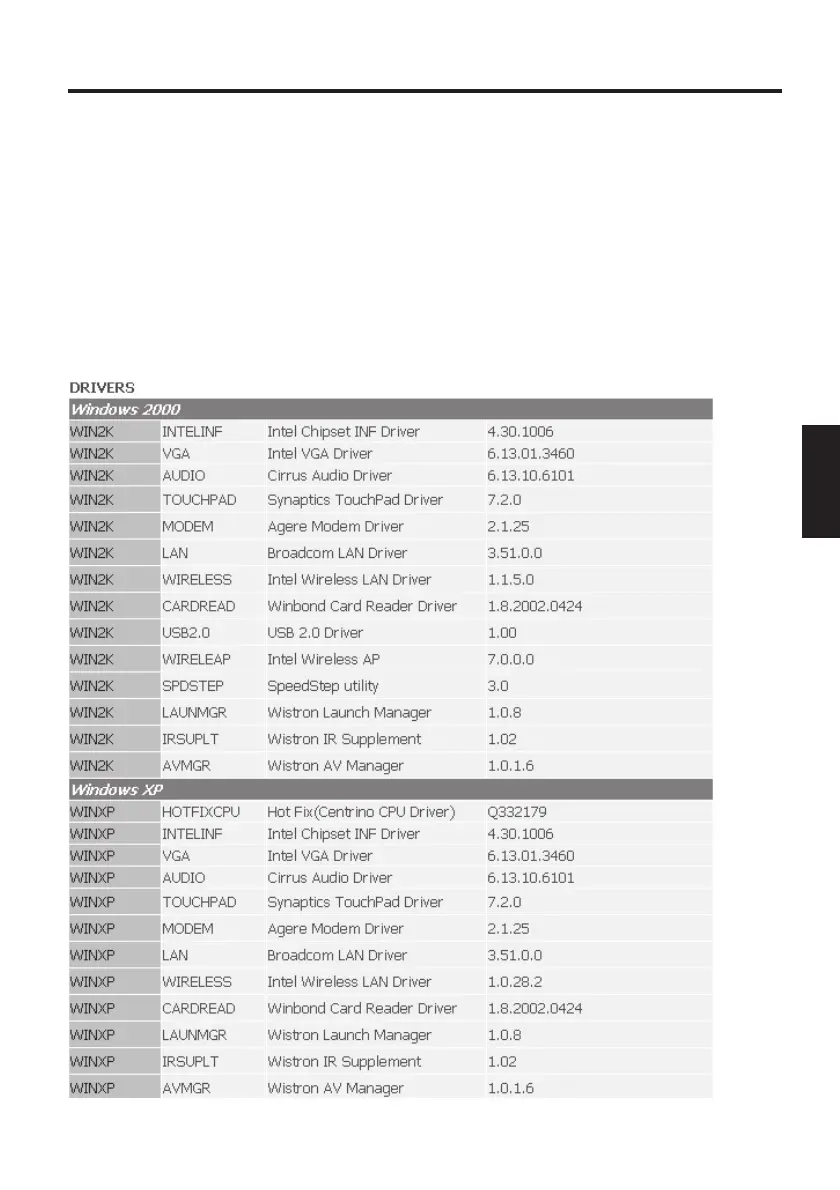
Your system is supplied in a preloaded condition. This means that all the
data and drivers that the system requires are already on the hard disk.
In case you erase and/or format your hard disk drive, the system
drivers are stored on the Utility CD supplied with the computer.
After reinstalling the operating system (for example, with the Recovery
CD), this allows you to restore your notebook to a usable condition.
WINDOWS 2000 / XP



 To Next Page