70
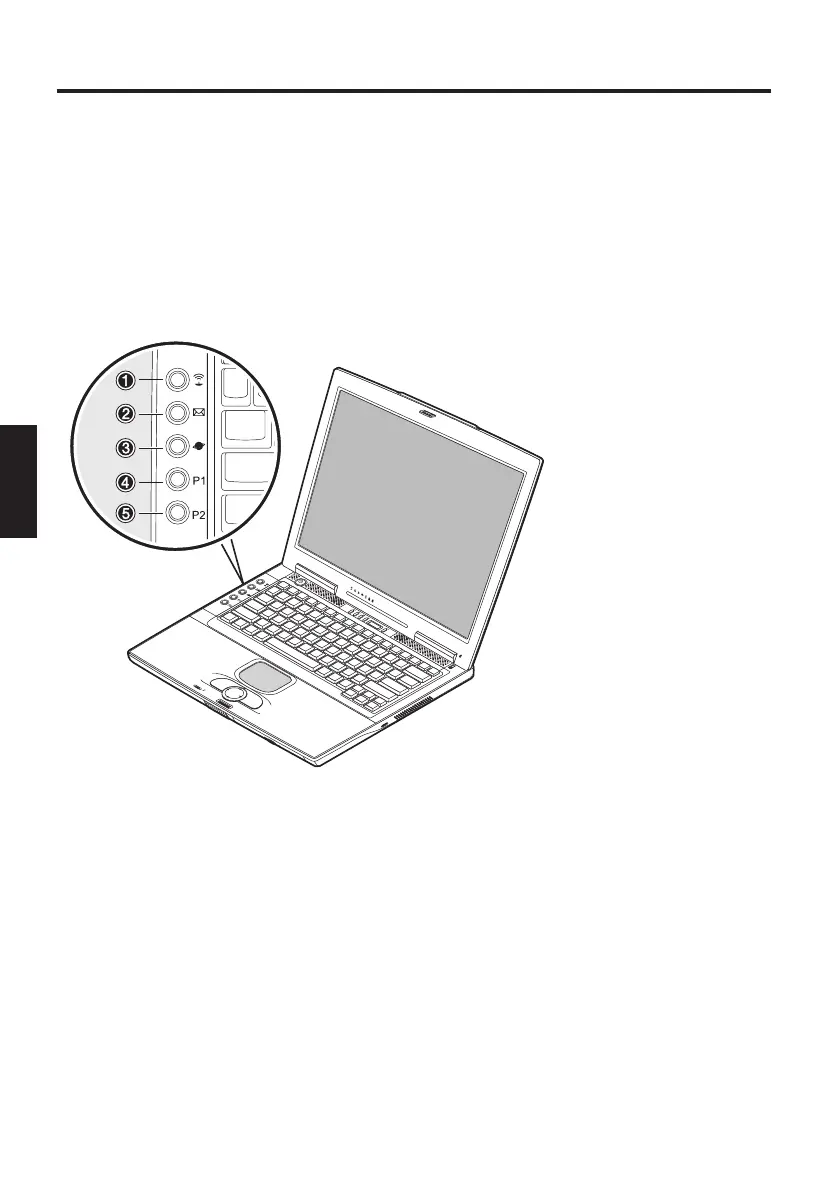
THE QUICK LAUNCH KEYS
Fig. 11
System Overview
There are five quick launch keys on the left of the keyboard. You can use
these to launch frequently used applications.
If the keys are not assigned to any functions, you can find the drivers to
activate the keys on the Utility CD.
The path is: Drivers\Operating System\Launch Manager.
e.g.: D:\Drivers\WinXP\LAUNMGR\setup.exe
(1) Wireless LAN - activates a wireless network
(2) E-mail – starts the e-mail program
(3) Internet – starts the Internet browser
(4) Customizable – can be assigned to any application using the Launch
Manager
(5) Customizable – can be assigned to any application using the Launch
Manager



 To Next Page