68
System Overview
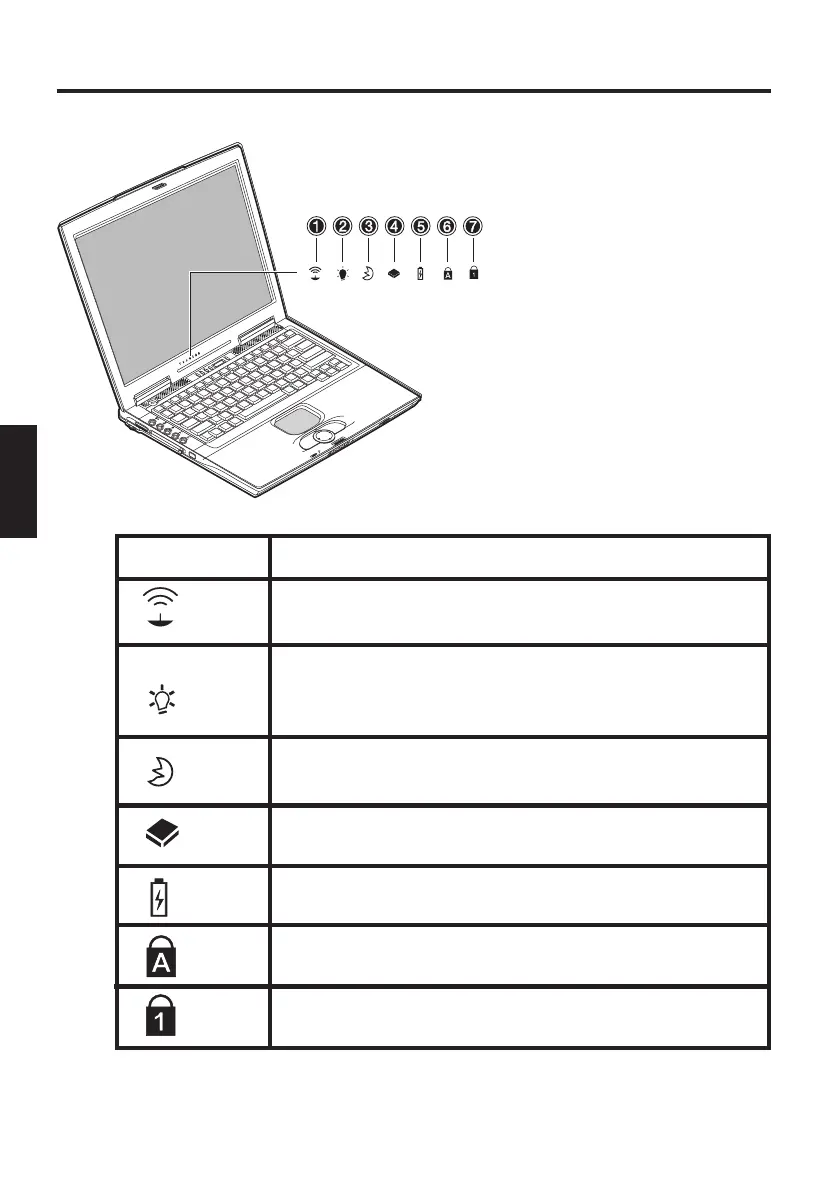
EXPLANATION OF LED DISPLAYS
Hard disk or CD-ROM drive is being accessed.
Lights when Caps Lock is on.
Lights when Num Lock is on.
Symbol
Meaning
Table 1
Lights when the wireless LAN properties are
activated.
Lights when the computer is switched on.
Flashes when the battery reaches a low charge
condition.
Lights when the computer is in power saving
mode
Lights when the battery is charging.
Fig. 10
(1) Wireless LAN
(2) Power
(3) Standby
(4) Drive access
(5) Battery
(6) Caps Lock
(7) Num Lock



 To Next Page