57
TV Functions
57
EN
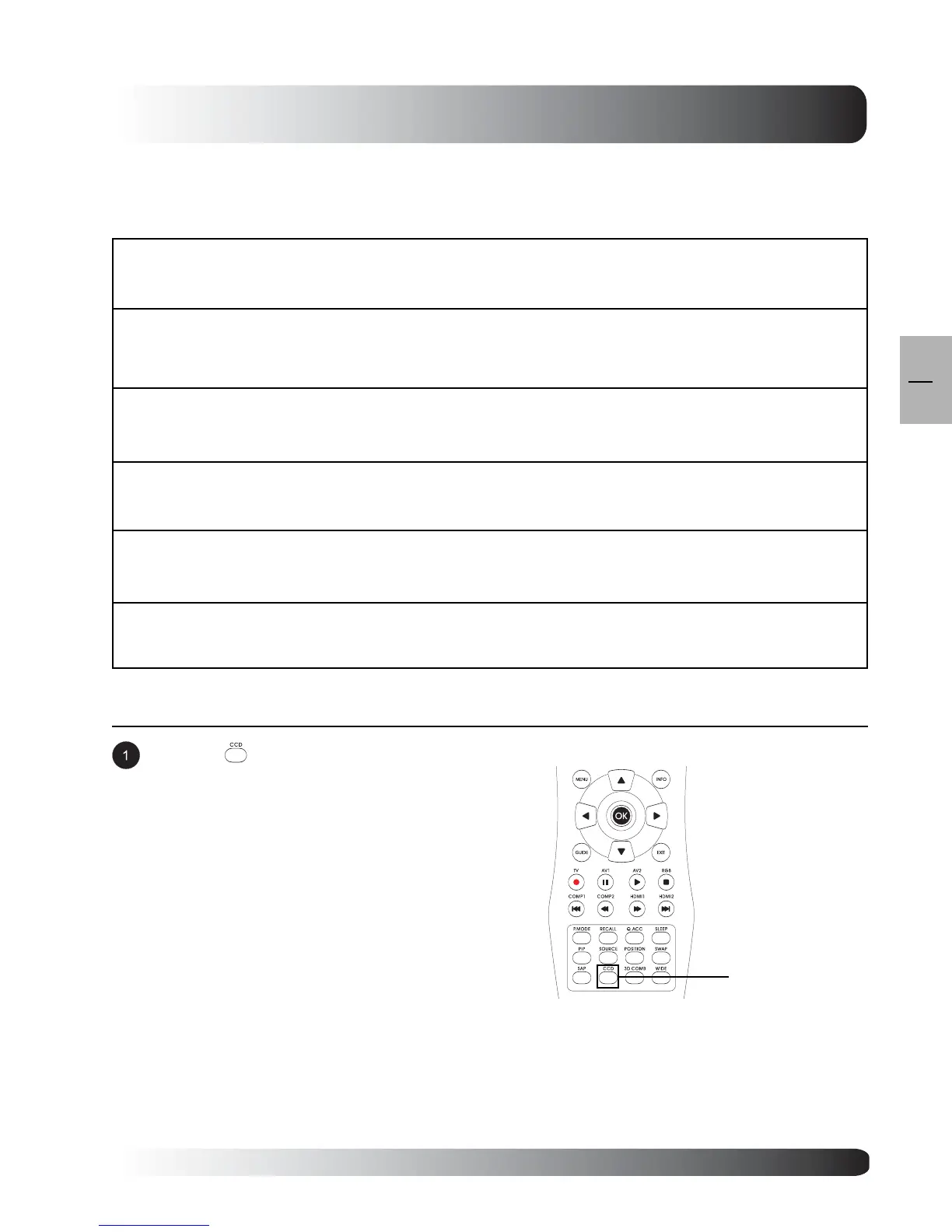
Press the key on the remote control
repeatedly to cycle through all available Closed
Captioning modes.
Accessing via Remote Control
CCD
Key
Notes:
Closed captioning is only available under TV/AV/
S-Video inputs.
Explanation of Various Closed Captioning Font Settings
Explanation of each available Closed Captioning Font settings under Digital TV mode are listed in the table
below:
Font
There are 9 preset font style that you can choose. (1) DEFAULT, (2) STYLE 1, (3) STYLE 2, (4)
STYLE 3, (5) STYLE 4, (6) STYLE 5, (7) STYLE 6, (8) STYLE 7, (9) STYLE 8.
TEXT COLOR
Use to change color of font. There are 9 settings to choose form: (1) DEFAULT, (2) WHITE, (3)
BLACK, (4) RED, (5) GREEN, (6) BLUE, (7) YELLOW, (8) MAGENTA, (9) CYAN.
TEXT OF OPACITY
Use to change opacity of font. There are 5 settings to choose from : (1) DEFAULT, (2) OPAQUE,
(3) TRANSLUCENT, (4) TRANSPARENT, (5) FLASHING.
BACKGROUND COLOR
Select the color of text box. There are 9 settings to choose form: (1) DEFAULT, (2) WHITE, (3)
BLACK, (4) RED, (5) GREEN, (6) BLUE, (7) YELLOW, (8) MAGENTA, (9) CYAN.
BACKGROUND OPACITY
Use to change opacity of text box. There are 5 settings to choose from : (1) DEFAULT, (2)
OPAQUE, (3) TRANSLUCENT, (4) TRANSPARENT, (5) FLASHING.
PEN SIZE
Select the Pen Size. (1) DEFAULT, (2) STANDARD, (3) LARGE, (4) SMALL.


 To Next Page