9
9
EN
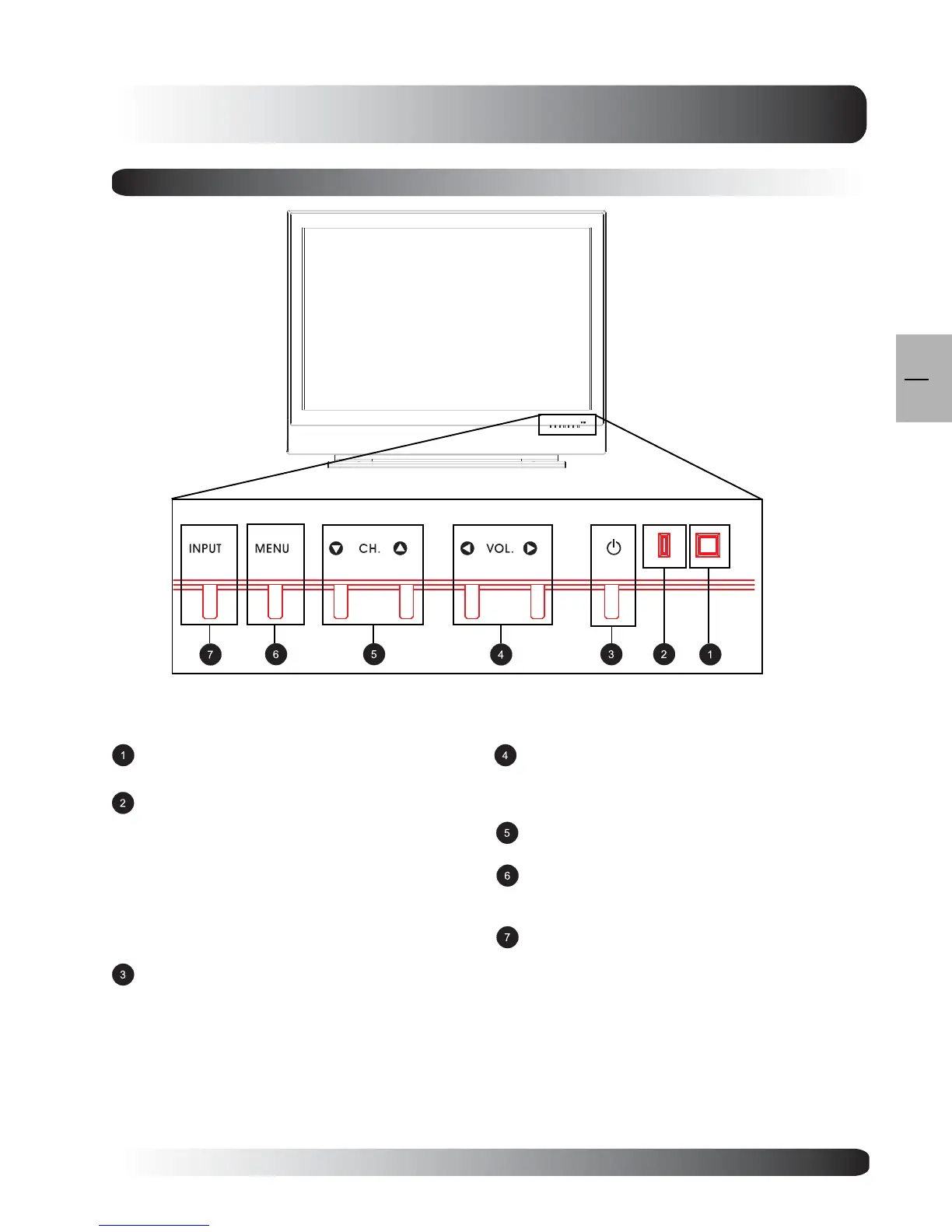
Infrared Receiver
Receive IR signal from the remote control.
Status LED
Orange - Standby (Power OFF) with AC
power detected
The LED will illuminate in orange color if the
TV is shut-off but the main power cord is
plugged into•the back of the unit.
Solid Green - Power ON
Receive IR signal from the remote control.
Power (Standby) Button
Turns power on or off from standby mode. There is
a wait period between on or off cycles.
Volume Adjustment Buttons
Use these buttons to adjust volume up and down.
These keys also serve as navigation and adjustment
keys when On Screen Display menu is engaged.
Channel Select Buttons
Use these buttons to select Channel up or down.
Menu Button
Use this button to engage the On Screen Display
menu.
Input Button
Use this button to switch between available inputs.
Getting to Know Your TV
Front Panel Controls


 To Next Page