70
Advanced
70
EN
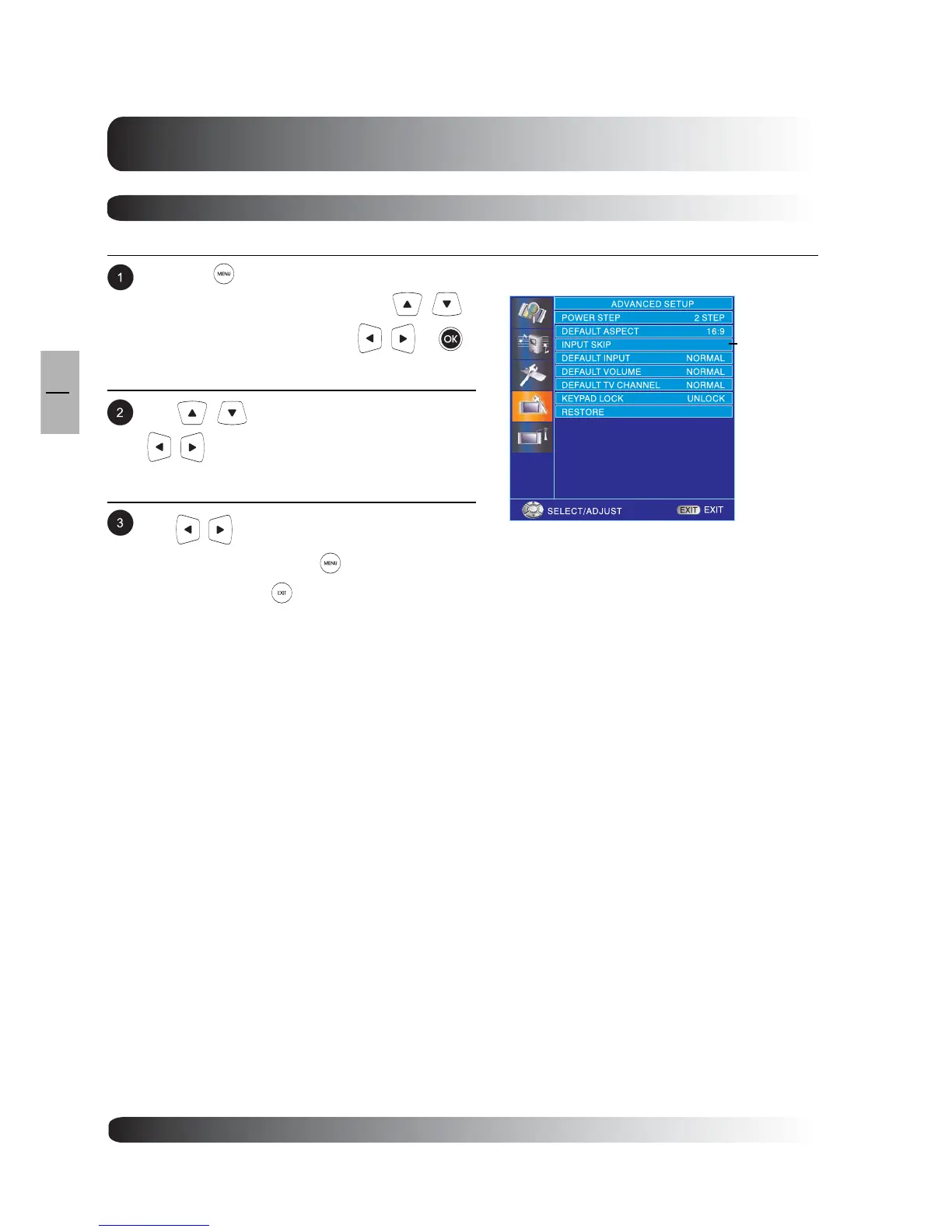
Press the on remote control or MENU key on
the front panel or remote control. Use
to select ADVANCED and press or
keys to enter ADVANCED function.
Use to select INPUT SKIP and press
key to enter INPUT SKIP menu.
Use to change the setting. After achieving
the desired setting, press to return to previ-
ous menu or press to exit menu.
To select one input as only one skipped signal.
Input Skip
INPUT
SKIP


 To Next Page