13
After Sales Support
UK/N.IRELAND HELPLINE N
O
:
REP.IRELAND HELPLINE N
O
:
WEBSITE:
EMAIL:
01270 508538
1800 995 036
www.quesh.co.uk
enquiries@quesh.co.uk
Bluetooth Phone History
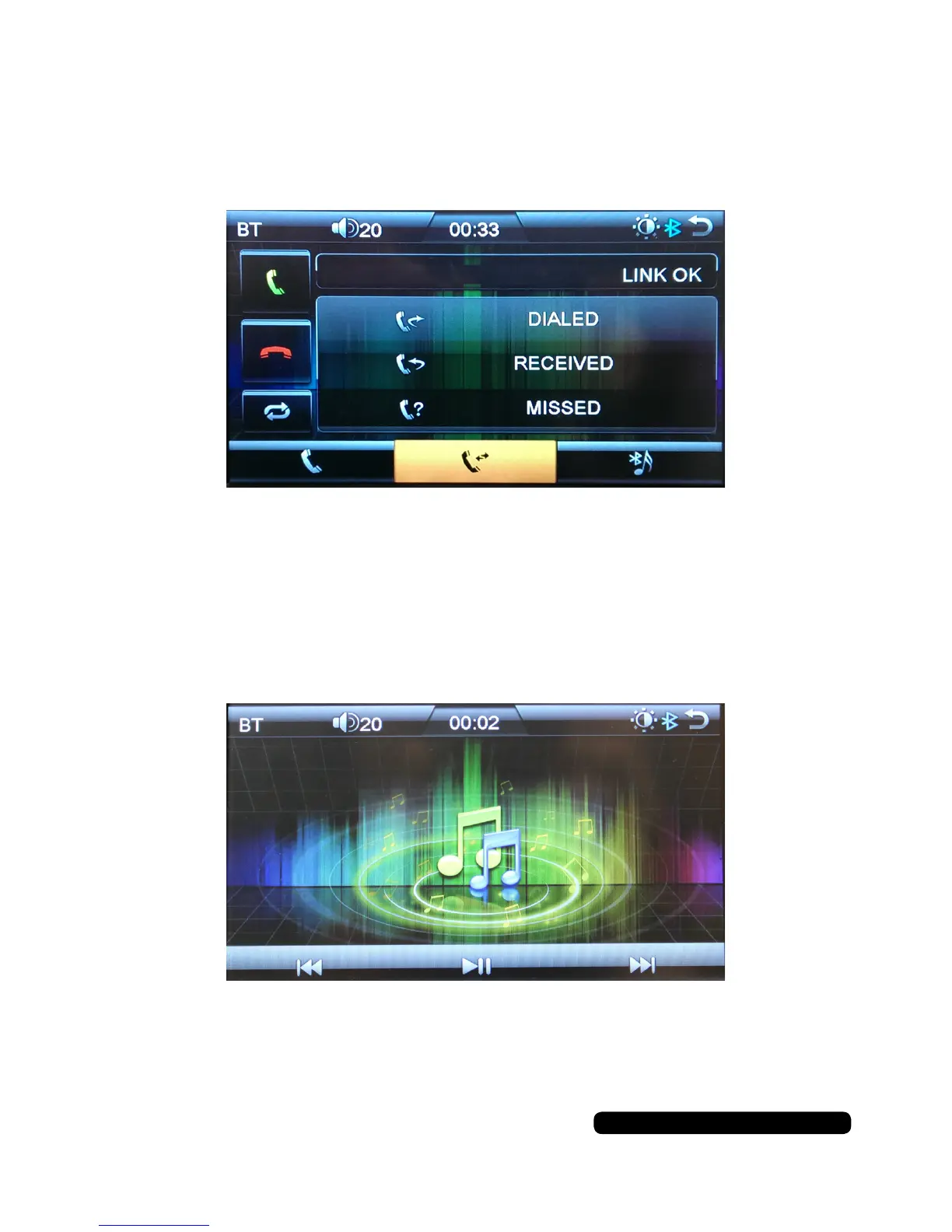
Press the middle button on the screen at the bottom of the page to access the call
history. You can see Dialed, Received and Missed calls.
You can select a number from the list a call back by pressing the green phone icon.
To return to the main menu press the return arrow in the top right of the screen.
Bluetooth Music
Once a device is connected you can start to play music from making the selection
from you phone. The bluetooth music screen will automatically show.
You can skip back, play/pause and skip forward from the touch screen or your
phone. No track information will be displayed.
To return to the previous menu press the return arrow in the top right of the screen.
Bluetooth Operation


 To Next Page