Settings
20
After Sales Support
UK/N.IRELAND HELPLINE N
O
:
REP.IRELAND HELPLINE N
O
:
WEBSITE:
EMAIL:
01270 508538
1800 995 036
www.quesh.co.uk
enquiries@quesh.co.uk
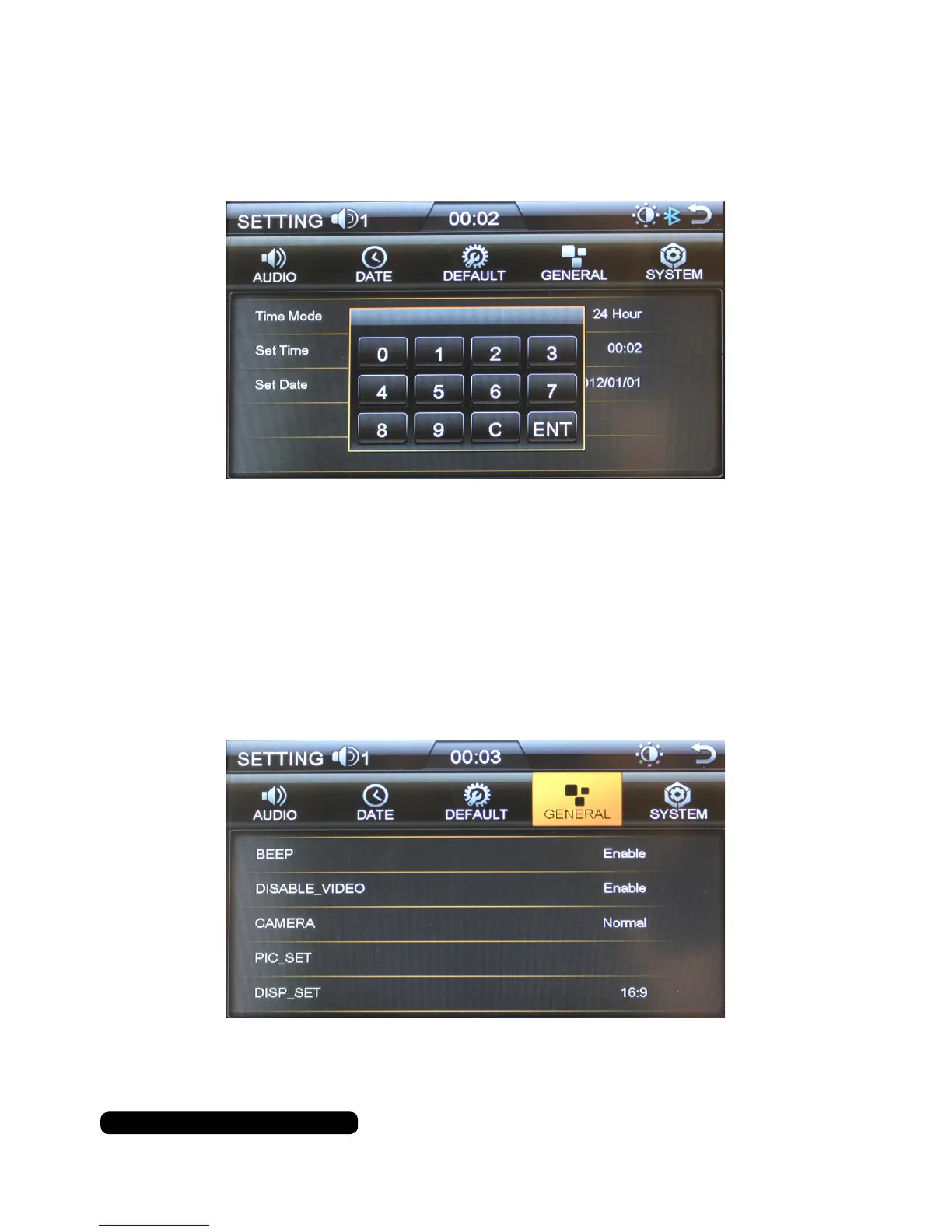
Default Settings
Press settings on the main screen and you will go directly to the audio options.
Press ‘DEFAULT’ to access the reset option.
Please enter the code to reset the unit and press enter on the screen to confirm.
The Default code is: 888888
General Settings
Press settings on the main screen and you will go directly to the audio options.
Press ‘GENERAL’ to access the general options. Here you can turn the beep on/
off, disable the video function, change the camera function, set the Picture quality
and change the aspect ratio by pressing the option.
Use the arrow keys where presented to change the values.
Press any where on the screen to confirm.


 To Next Page