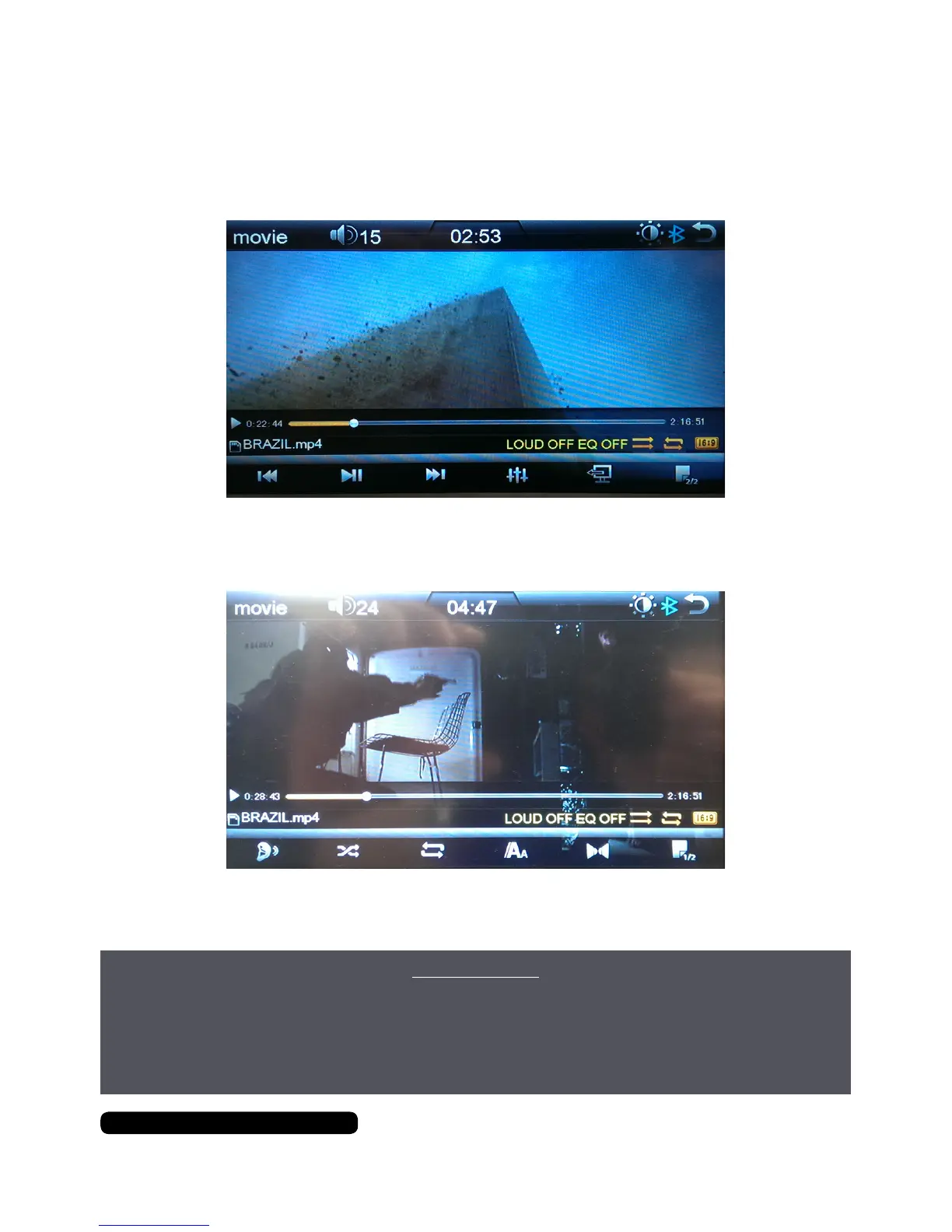
Movie Options
22
After Sales Support
UK/N.IRELAND HELPLINE N
O
:
REP.IRELAND HELPLINE N
O
:
WEBSITE:
EMAIL:
01270 508538
1800 995 036
www.quesh.co.uk
enquiries@quesh.co.uk
Movie Controls
There are 2 sets of control available. To change between the two use the button on
the bottom right of the screen.
Buttons from the bottom left:
Skip back, Play/Pause, Skip Forward, EQ, Aspect Ratio, Next Page
Buttons from the bottom left:
Loud, Random, Repeat, Subtitles, Audio Channel, Next Page.
IMPORTANT:
To ensure safety while driving and to comply with UK laws,
drivers should not watch video or operate the video device while driving.
It is illegal to drive while operating a hand-held phone or a similar device.
This applies even if you’re stopped at traffic lights or queuing in traffic.


 To Next Page