EasyManua.ls Logo

MAXTEK 74269 - Video Mode Operations; Recording a Video

MAXTEK 74269
44 pages
Print Icon
To Next Page IconTo Next Page
To Previous Page IconTo Previous Page
Loading...
9
After Sales Support
UK/N.IRELAND HELPLINE N
O
:
REP.IRELAND HELPLINE N
O
:
WEBSITE:
EMAIL:
01270 508538
1800 995 036
www.quesh.co.uk
enquiries@quesh.co.uk
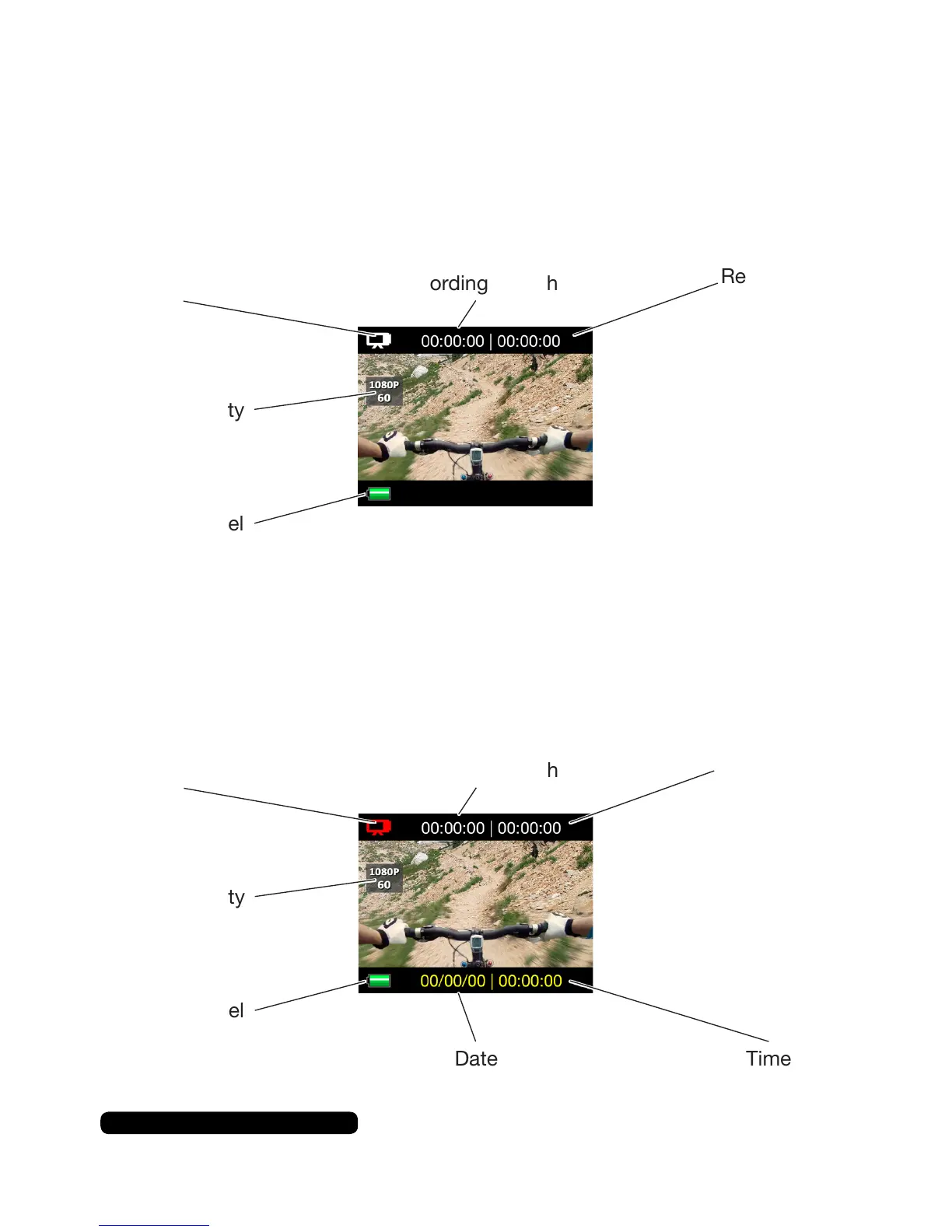
Video Mode Screen
Video mode is the default mode when you turn on the camera.
The simple screen displays only a few icons.
Video Mode
Video Mode Icon RecordingLength
VideoQuality
BatteryLevel
VideoRecording
Mode Icon
RecordingLength
Available
Recording
Space
VideoQuality
BatteryLevel
Date Time
Record A Video
Pressthe‘shutter’buttonontopofthecameratostartandstop
arecording.TheredLEDwillashwhilethecameraisrecording.
Available
Recording
Space

Other manuals for MAXTEK 74269