37
After Sales Support
UK/N.IRELAND HELPLINE N
O
:
REP.IRELAND HELPLINE N
O
:
WEBSITE:
EMAIL:
01270 508538
1800 995 036
www.quesh.co.uk
enquiries@quesh.co.uk
Assembling Mounts
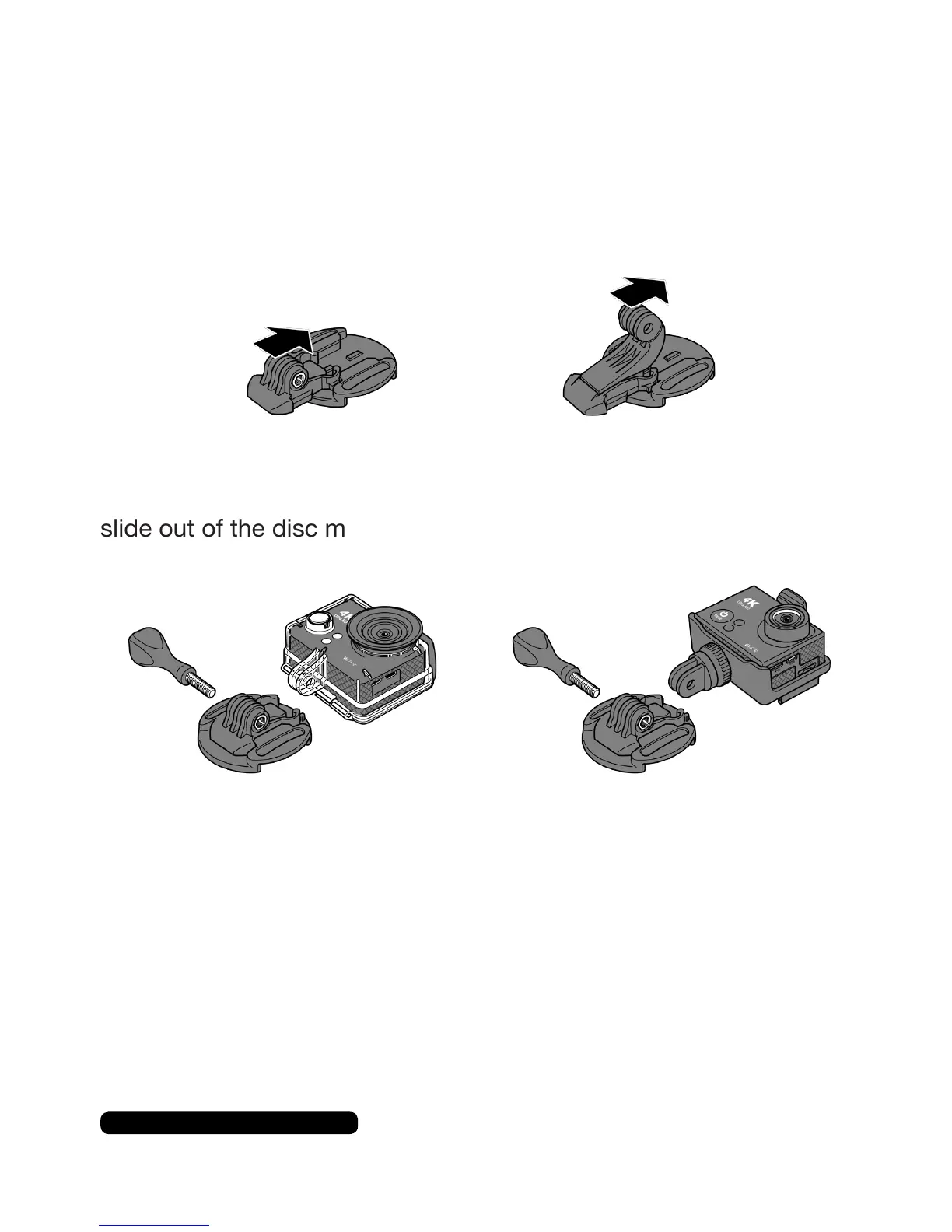
Disc Mount
Thediscmountshaveanadhesivebacktoenableittobestuckto
mostsurfaces.Alternativelyyoucanusethetetherthroughtheside
loop to secure the disc mount in to position.
Slideeitherthelargeorsmallclipsintopositionandpushuntilthey
lockintoplace.Toremovetheclipspinchtheendsoftheclipand
slide out of the disc mount.
1xDiscMount,1xLarge/SmallClip,
1xLockingScrew,eithercameramounts.
Please Note:
It is adviable to attach the cable tether to the locking screw at the base of the
camera and secure the other end to something other than the base. This can help
prevent the loss of the camera through an incedent where the base may break.



 To Next Page