22
After Sales Support
UK/N.IRELAND HELPLINE N
O
:
REP.IRELAND HELPLINE N
O
:
WEBSITE:
EMAIL:
01270 508538
1800 995 036
www.quesh.co.uk
enquiries@quesh.co.uk
Settings
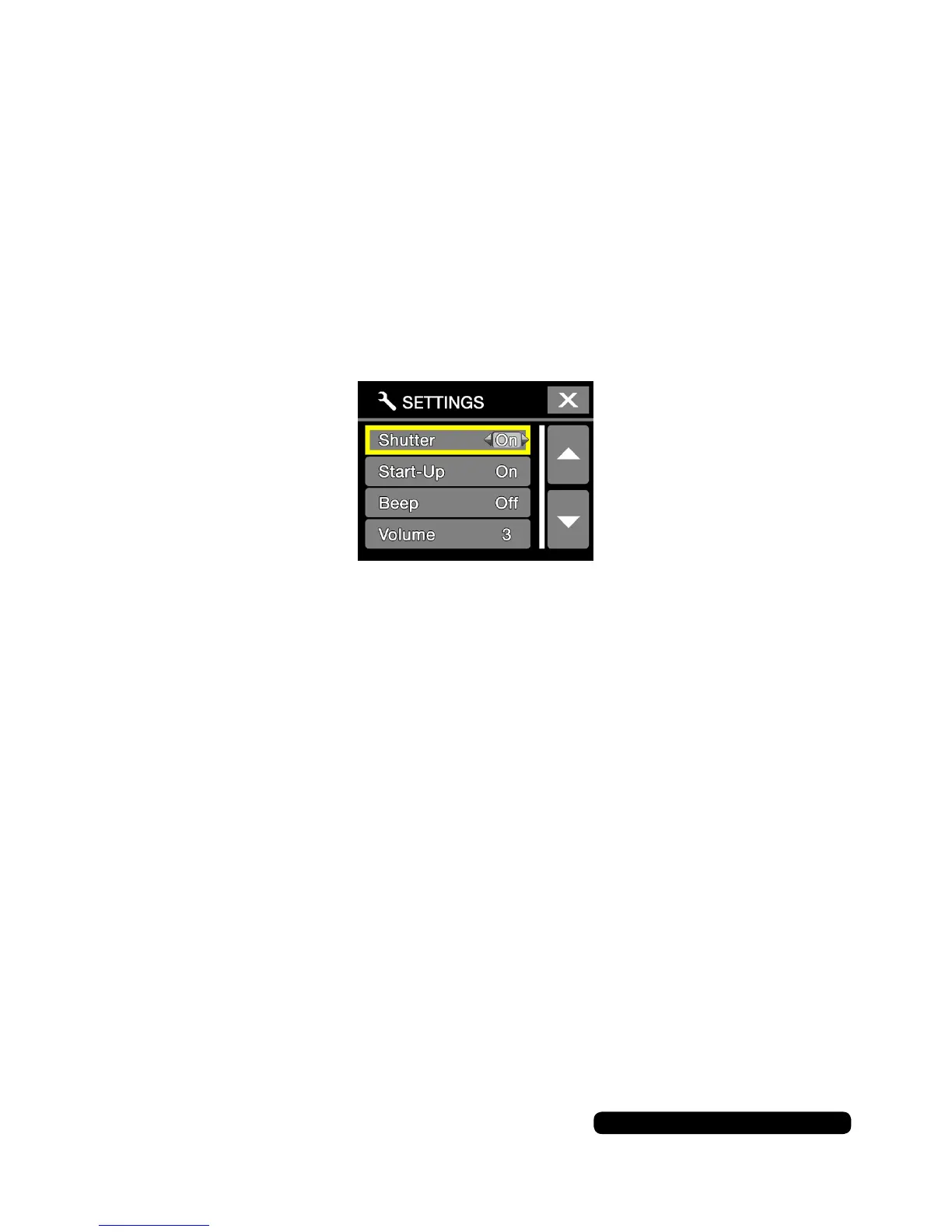
Sound Indicator
This option will open a sub menu. You will be able to enable or
disablebeepsonvariousfunctions.
Usethe‘mode’buttontocyclethroughtheavailableoptionsandthe
‘shutter’buttontoselectfromthefollowingoptions:
Options
• Shutter - This is the sound made when in any of the camera modes.
•StartUp-Thisisthesoundmadeonstartupandshutdown.
•Beep-Thisisthesoundmadewiththebuttonpresses.
•Volume-Setthebeepvolumelevelbetween1-3.
Onceyouhavesetyourrequiredvaluespressthe‘Wi-Fi’buttonto
saveandexitthisoption.


 To Next Page